Capability 01
Planning
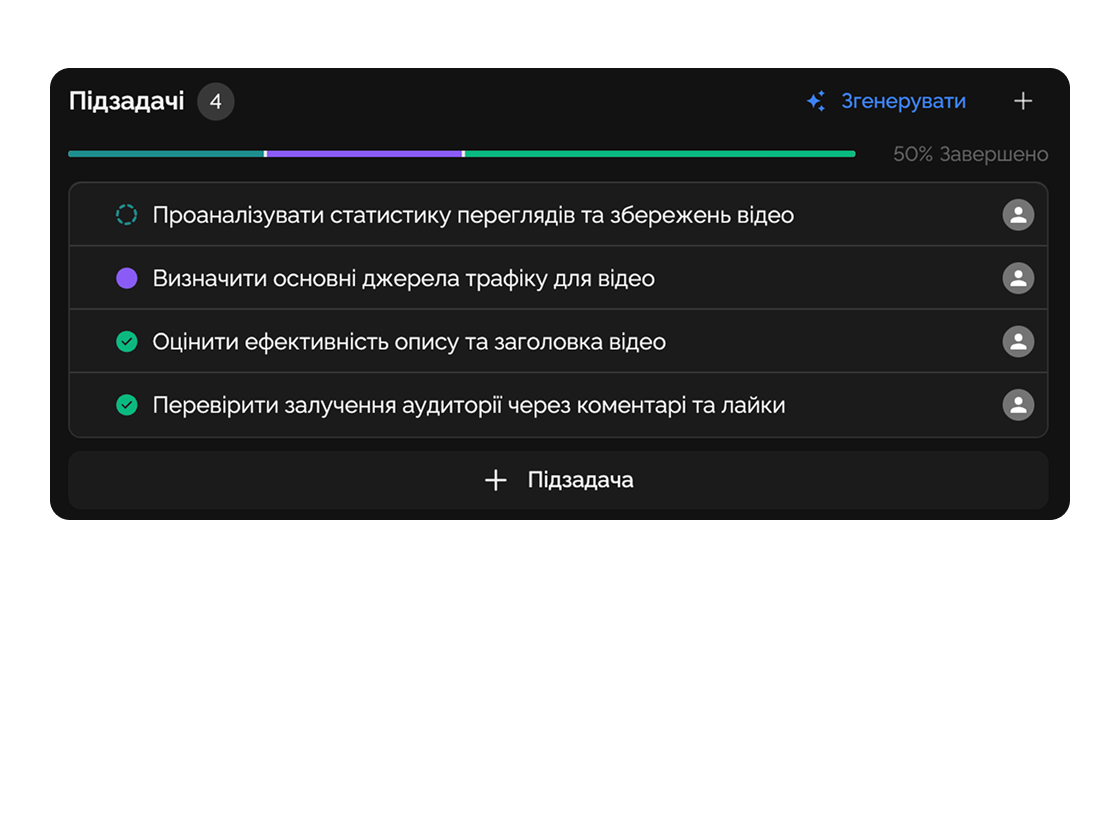
Break work into tasks and subtasks so nothing gets lost.
Organize your team’s work in a single system — from idea to result without chaos or wasted time.
Built for
By the numbers
12k+
tasks created monthly
Easylim CRM
−45%
time on status updates
customer data
0
missed deadlines
2025 survey
A simple tool to control and execute tasks in any team.
Capability 01
Break work into tasks and subtasks so nothing gets lost.
Capability 02
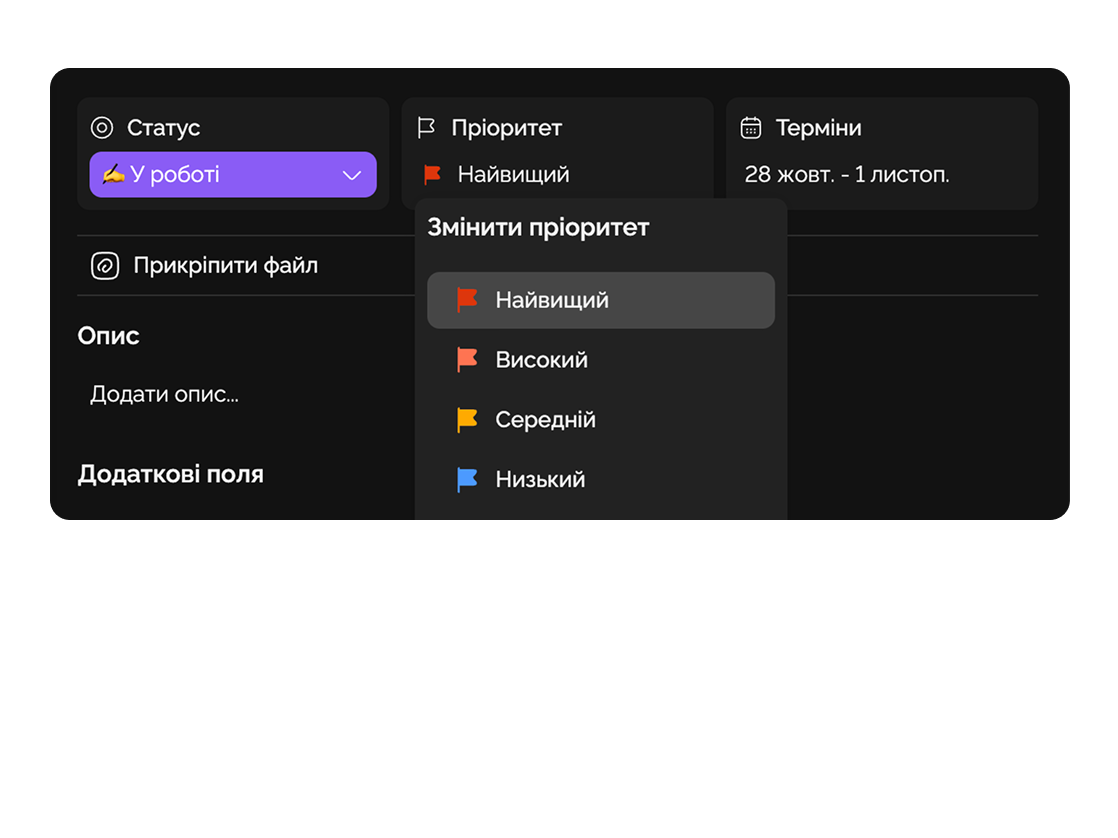
Set task importance so the team knows what to tackle first.
Capability 03
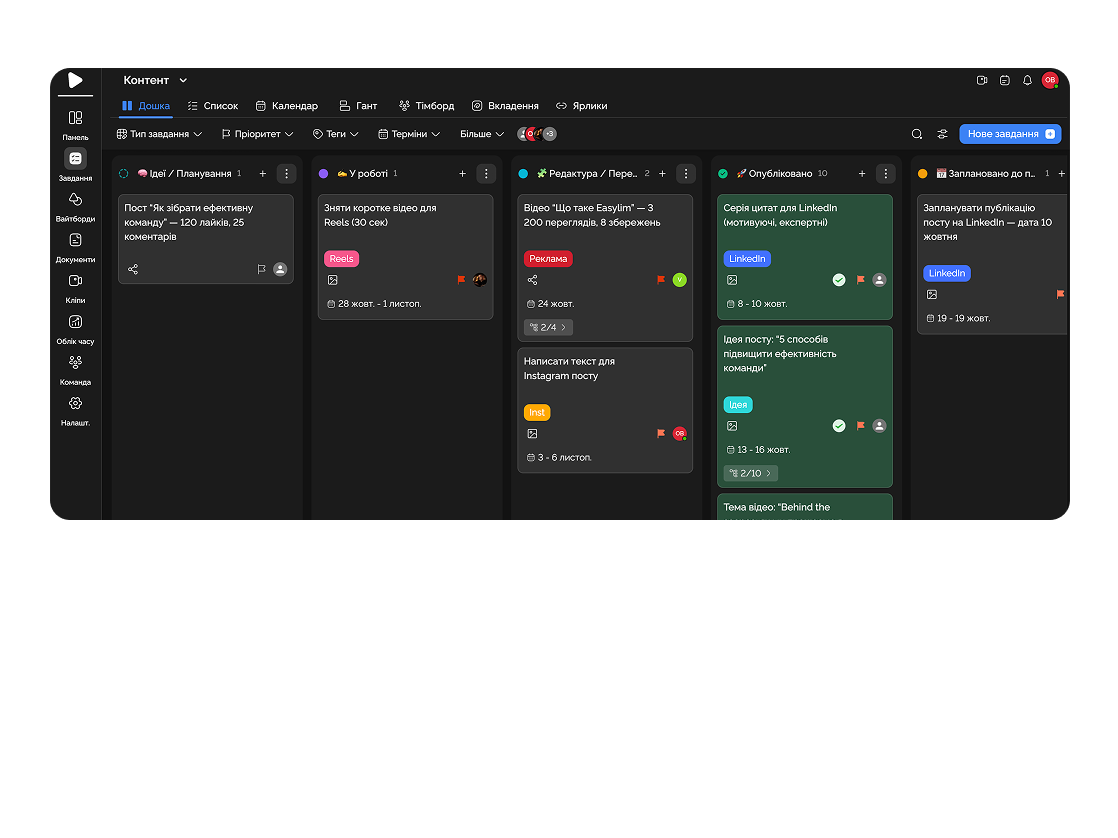
Monitor task completion in real-time.
Capability 04
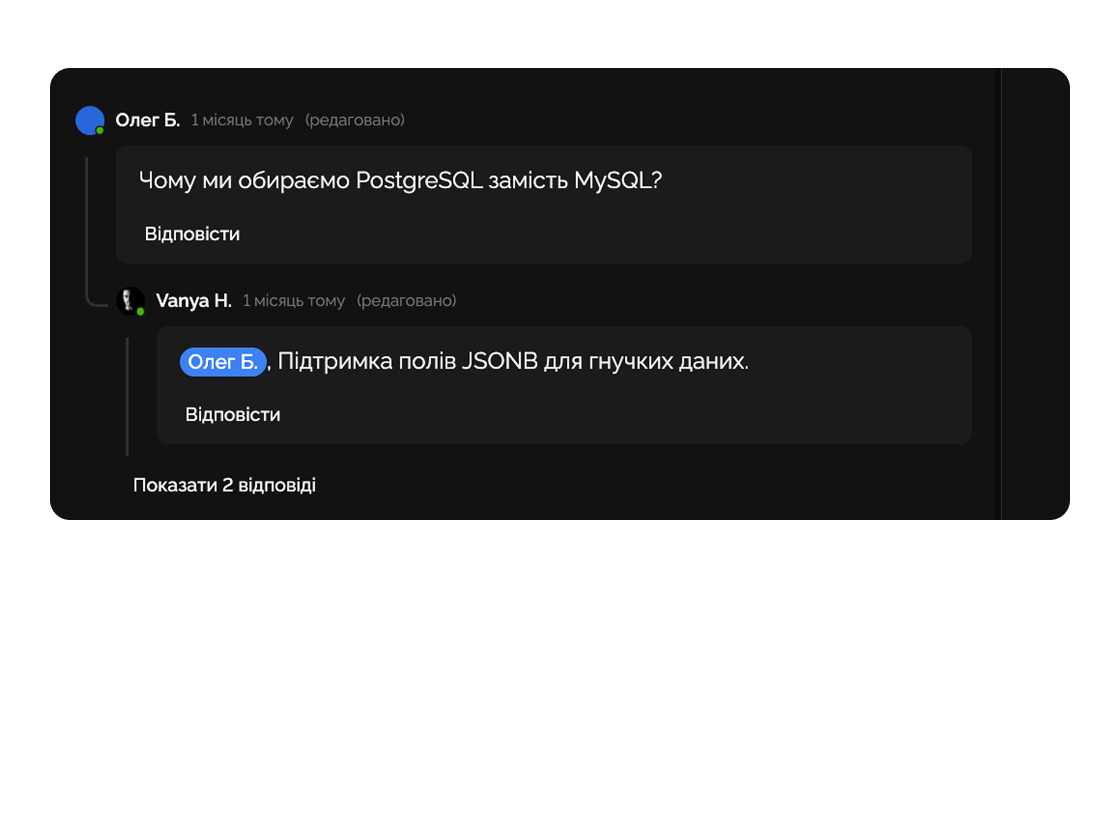
Assign responsible members, comment, and share files directly in tasks.
Create a task list for campaigns: content ideas, design, ad launches. The team sees deadlines and avoids chaos.

Create tasks for each client: call, meeting, proposal. No lead gets lost.

Deep dive
5 chapters
Most teams start the same way: "let's just coordinate in Slack." Three months later, half the work has slipped through cracks and morning standups have turned into "can someone remind me what I committed to?". A task isn't a pretty to-do item — it's the <strong>atomic unit of work</strong> with an owner, a status, a deadline and the context behind it. Here's how to build a task system your team actually opens every morning.
Розділ
A task is the atomic unit of work: something you can start, finish and close. It has four mandatory fields: what to do, who's doing it, by when, and what state it's in. If any of those is missing, you don't have a task — you have an idea or a chat message.
The classic Trello-style approach reduces a task to a title and a "Done" button. That's fine for personal to-dos, but it falls apart in a team of 5+. Real tasks grow subtasks (because "build the landing page" isn't a task, it's an epic), dependencies (front-end is waiting on API), comments (where the client revised the brief), and files (current design version).
The most valuable thing on a task is context. A month from now nobody remembers why a P0 bug was downgraded to P2 or who signed off. If that discussion lives in Slack — it's gone. If it lives in a task comment — you'll recover the decision in 30 seconds. Easylim tasks aren't TODOs; they're a living log of decisions you actually made.
Build Pricing v2 hero section
one card · all the context
Розділ
The biggest mistake managers make is writing a task title like "Landing page" and assigning it to a designer. Twenty minutes later the designer pings back in Slack: "Which landing? Which product? What size? When is it due?". The 2 minutes you saved on creation cost 30 minutes of back-and-forth.
Rule for a good title: verb + concrete object. "Build the hero section for the Pricing v2 landing" is a task. "Landing" is not. The description needs to answer three questions: what exactly needs to happen, what counts as done (Definition of Done), and where to find the inputs (link to design, credentials, brief).
Subtasks are for when a task breaks into steps performed by different people or at different times. "Build the landing" → subtasks "Hero", "Pricing", "Features", "Footer" — each with its own owner and deadline. In Easylim subtasks have their own status and progress, and the parent shows aggregate completion — which gives you an honest picture instead of "almost there."
Розділ
A dependency is when task B can't start until task A is done. You set the link once in Easylim, and when A flips to "Done" the owner of B gets notified automatically. Without that you end up with a chat that goes "is it ready yet?" — "not yet" five times a day.
Priorities in Easylim aren't "low / medium / high" — they're concrete labels: P0 (production down, drop everything), P1 (this sprint), P2 (this quarter), P3 (nice to have). If 80% of your tasks are "high priority" — you don't have priorities. The honest filter: no more than 20% of work in P0/P1 at once.
Filters turn a list of 200 tasks into 7-10 that matter today. "My tasks this week, P0/P1" — that's your morning screen. "Overdue in project X" — that's the lead's standup screen. Saved filters in Easylim act as personal dashboards; you open them with one click instead of building the view from scratch every time.
every row has exactly one owner
Розділ
Monday 10:00 — standup. Everyone opens their saved "my tasks this week" filter and takes 30 seconds: what I'm on, what's blocking me. No slides, no status reports, no narration — it's already in the system. The lead opens "overdue" and looks for real problems.
Tuesday — client sends 3 revisions. Not in Slack, not in email — the manager creates 3 separate tasks linked to the thread, with a priority and an assignee on each. Two weeks later when the client says "I asked for this on Tuesday" — the task has a timestamp.
Wednesday — backlog grooming, 30 minutes. The team walks tasks without an owner, without a deadline, without a description. Anything that's been sitting either dies (delete) or wakes up (assign + deadline). A backlog without grooming becomes a graveyard in 3 months.
Friday — retro, 20 minutes. The lead opens "closed this week" and the team sees actual progress. Velocity (tasks closed per week) is the most honest metric you'll get, far more reliable than "we shipped a lot."
Mon 09:14
Mon 11:02
Wed 16:48
— pending
Розділ
Tasks are the atomic level. If your team runs 5 parallel tracks (brand, product, marketing, sales) with 30-50 active tasks each — a flat list becomes chaos. You need a level above: projects as containers grouped by topic or client.
If tasks repeat weekly or monthly (retros, financial close, backups) — don't create them by hand, set up recurring tasks. If the team is confused by generic "To do / In progress / Done" — define your own via custom statuses: "Waiting on client", "Waiting on design", "Blocked by legal" — and you immediately see where things actually sit.
Big initiatives with hard dependencies (a product launch with 200+ tasks) belong in a Gantt chart — that's where you see the critical path and where the risk lives. Daily team execution belongs in Kanban: a quick visual pull system. In Easylim it's the same task set in different views — no migration.
Landing page
— no owner
Landing page
— no owner
Landing page
— no owner
title + button
Build Pricing v2 hero
This feature connects to the apps your team already lives in.
More features
No card required. Free tier forever.


