Capability 01
Transparent Responsibility
Assign participants and see who is responsible for what.
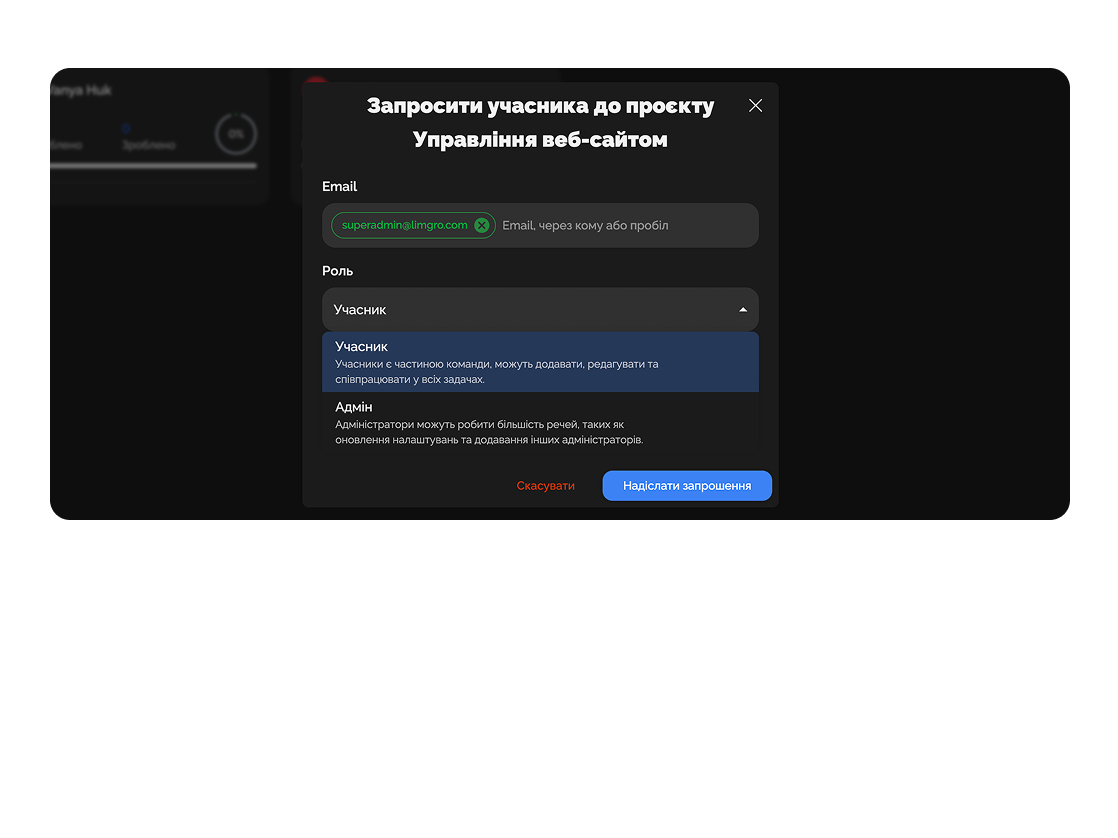
Create, structure, and manage projects of any scale so your team works smoothly and effectively.
Built for
Active
2/ 5
Done
1/ 5
On track
3/ 5
Website relaunch
72%Marketing campaign Q3
45%Mobile app v2
88%Brand refresh
100%Stripe migration
30%By the numbers
500+
projects per team
customer data
3 min
to spin up from template
Easylim AI
100%
progress visibility
2025 survey
Gain control over all tasks and phases in one place.
Capability 01
Assign participants and see who is responsible for what.
Capability 02
Create projects across different directions and with different teams.
Creates a client project, distributes tasks among copywriters, designers, and marketers, and tracks deadlines.

Breaks product development into blocks, sets priorities, and tracks progress via statuses.

Deep dive
5 chapters
While the team is small and there's one product, a flat list of tasks is enough. The moment you add a second client, a parallel release, or a new product line — that list turns into a wall of items you can't find anything in. A <strong>project</strong> in Easylim is the container above tasks: it holds the work, the people, the deadlines and the templates for one big initiative. Below: when projects actually start earning their keep, how to structure them, and when they're overhead you don't need.
Розділ
A project is a container for tasks that share a goal: launch a new product, refactor checkout, run the Q3 campaign, service the Acme account. It has a start date, a target end date, a team, a set of custom statuses and its own task templates. It's not just a folder — it's a working surface with its own configuration.
How is a project different from a workspace? A workspace is your entire company, with its billing and user base. A project is one initiative inside that workspace. In Easylim you can have one workspace, "Acme Studio", with 30 projects inside: "Client A", "Client B", "Internal brand", "HR processes".
How is a project different from a task? A task is 1-5 hours of one person's work. A project is 2-12 weeks of 2-15 people's work. If "build the landing page" is a task, then "launch a new landing with content, tests and analytics" is a project of 30 tasks inside.
Pricing v2 landing
Build · sprint 4
Mobile app v2
Beta · prod
Stripe migration
Paused · legal
Brand refresh
Shipped
Розділ
The most common mistake is creating a project called "Marketing" and throwing everything in. A month later it has 200 tasks across three clients, two internal campaigns and HR onboarding. Nobody finds anything. Simple rule: one project = one goal with a clear end date. Not "Marketing" — "Pricing v2 landing, ship by Oct 15".
Creation steps: (1) one sentence describing the goal — if it doesn't fit, the project is too big, split it in two; (2) add 3-8 members — past 15 and the project drowns in communication overhead; (3) name the 3-5 stages ("Discovery → Design → Build → QA → Release") that will become your labels or statuses; (4) pick custom statuses for your specifics (marketing: "Waiting on brand"; engineering: "Waiting on QA").
In Easylim you can save a project as a template. Set up client onboarding structure once — every new client spins up with 30 pre-built tasks, deadlines, assignees and statuses in 30 seconds. That saves 2-3 hours per project and removes the "oh we forgot the NDA signing task" risk.
Розділ
Roles inside a project: Owner (full control, can delete), Admin (manages structure), Member (works on tasks), Guest (sees only what's assigned to them, no internal tasks). When you invite a client into a project, give them Guest with access only to "client-facing" work.
Custom fields at the project level are what separate Easylim from a generic tracker. For a client project, add "Point of contact", "Budget", "Contract #". For engineering, add "Component", "Severity", "Browser". Fields appear on every task in the project and double as filters: "show me all checkout-component tasks".
Task-level permissions: you can configure so a client Guest sees only tasks tagged "client-facing" and never sees internal discussions. With 5 clients in one workspace this is critical — otherwise one client accidentally sees the conversation about another. Audit log on a project shows who changed what and when — for compliance and for the inevitable "who pushed the deadline by a week" moment.
Task templates inside a project: for repeatable work types (new guide, new backup, new release) build a template with subtasks and checklist baked in. The assignee clicks "create from template" and gets a fully-formed task instead of trying to remember what else needs doing.
guest sees only what you let them see
Розділ
Week 1 — kickoff. Create the project from the "Marketing Launch" template, invite PM, designer, copywriter, front-end, QA. The template already contains 28 typical tasks with deadlines offset from the launch date.
Weeks 2-3 — Discovery. Competitor research, sales interviews, draft brief. The PM checks the "overdue in project" filter weekly and reacts. The client, on a Guest role, only sees the task "Brief for approval" and comments there.
Weeks 4-5 — Build. Designer wraps mockups, front-end starts implementation. The custom "Waiting on brand" status surfaces every external bottleneck. Week 6 — QA + soft launch. Checklist subtasks for cross-browser, mobile, accessibility — each with an owner.
Week 7 — release + retro. Close the project, export a velocity report (28 tasks in 7 weeks = 4/week). What worked feeds back into the template. What didn't goes into a "lessons for next time" doc. The next landing doesn't start from zero.
milestones · timeline
M1 · Discovery
M2 · Design
M3 · Build
M4 · Launch
mockups · components
Розділ
If your team is 4-6 people on a single product, no clients, no parallel initiatives — a plain task system with labels will beat projects. Projects in that setup are pure bureaucracy: you don't need to isolate teams, split permissions, or maintain separate templates.
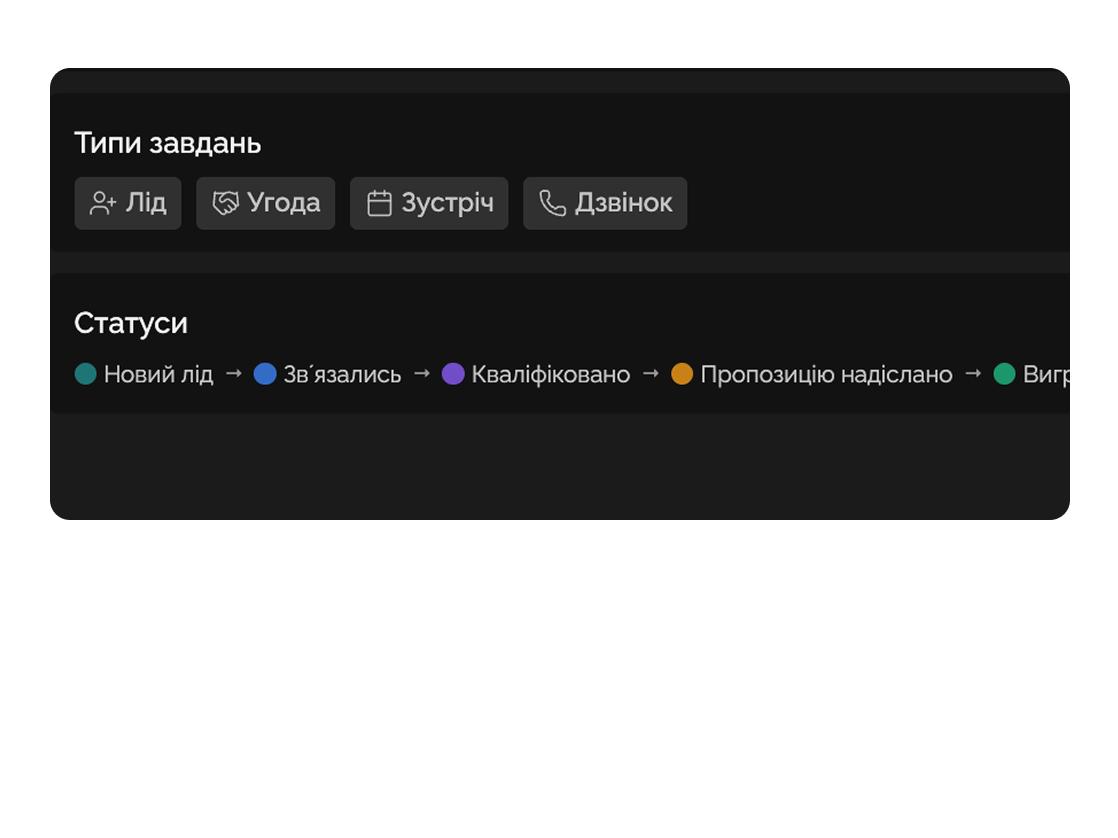
If you run a continuous operational activity (support, sales, HR) — it's not a project, it's a process. For processes, use Kanban with custom statuses: "New lead → In negotiation → Closed-won/lost". A process has no deadline; a project does.
If you need to see dependencies and the critical path between big initiatives, layer a Gantt chart on top of your projects — it shows where one project waits on another. A portfolio dashboard with per-project widgets is for leads watching 10-15 projects at once.
Rule of thumb: under 6 people on one product → tasks. 6-30 people across tracks → projects. 30+ with a portfolio → projects + dashboard + Gantt.
✓ enough
× bureaucracy
rule: < 6 people + 1 product → tasks, no projects
This feature connects to the apps your team already lives in.
More features
No card required. Free tier forever.


