Capability 01
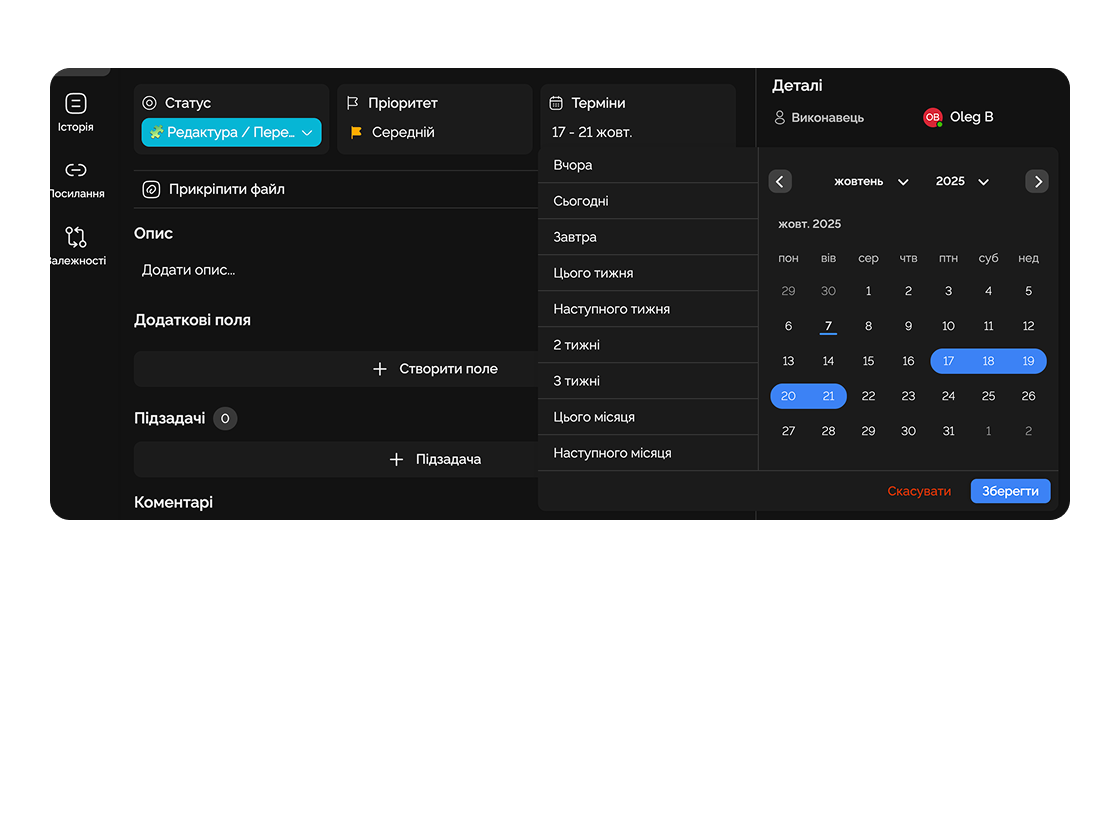
Control Task Deadlines
Set appropriate deadlines displayed on each task card.
Organize tasks in a clear visual format, from idea to completion, while easily managing the workflow.
Built for
Audience research
MVP feature list
Agency brief
Persona description
Landing — wireframes
Email campaign
Pricing calculator
Socials — layouts
Tone of voice
Product name
By the numbers
5×
faster status moves
customer data
∞
columns per board
Easylim CRM
100%
bottleneck visibility
2025 survey
The Kanban board helps you see the entire process in real time and react quickly to changes.
Capability 01
Set appropriate deadlines displayed on each task card.
Capability 02
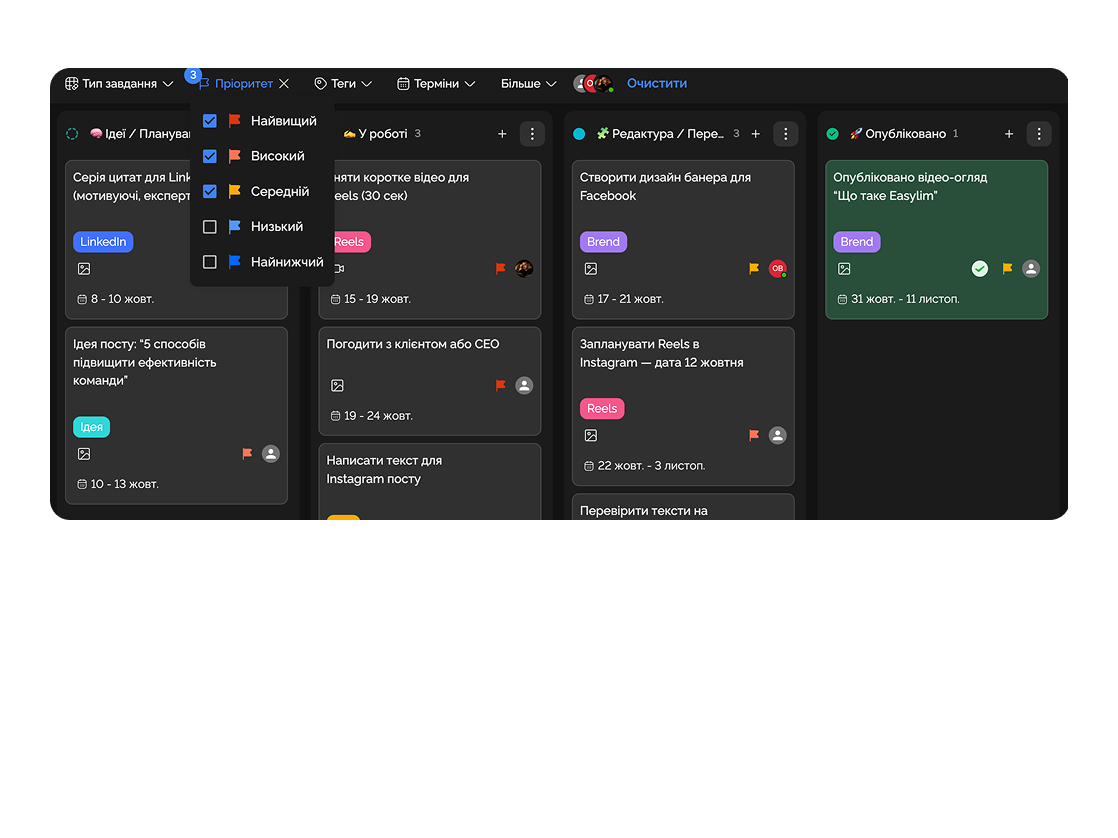
Quickly filter by priorities, task types, tags, deadlines, and other criteria.
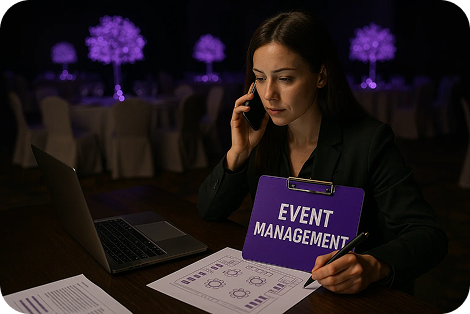
Organize event preparation: venue booking, vendor coordination, logistics, and scheduling.
Teachers and students can plan courses, task deadlines, and group projects in a visual format.

Deep dive
5 chapters
Kanban looks deceptively simple — columns, cards, drag and drop. Which is exactly why most boards die within a month: cards rot in "In progress", nobody looks at "Done", and Slack quietly becomes the real planning tool again. Here's how to avoid that: why SaaS teams pick Kanban over Scrum, how to set up your first board in Easylim without breaking it, and when Kanban is the wrong choice.
Розділ
Kanban is a visual workflow method born at Toyota in the 1950s and adapted for knowledge work in the 2000s. Instead of writing long plans, your team works with a flow — a task moves left to right through columns, and everyone sees where it is right now.
Columns represent the actual stages of your process — Backlog → In progress → Review → Done. Drag a card, change a status. That's it. The payoff: bottlenecks become visible. If 12 cards pile up in "Review", you've got a problem (reviewer is out, or the review process itself is too heavy).
Scrum's sprint planning shows you a plan for two weeks ahead; Kanban shows you reality right now. That's why marketing, product teams, support and operations gravitate to it — they don't run in clean iterations, they run on continuous flow.
Audience research
Brief
Landing design
Alex
Email campaign
waiting
Tone of voice
Wireframes
Розділ
The most common mistake: copy the default "To Do / In Progress / Review / QA / Done" and wait for magic. There won't be any. First, describe how a task actually flows through your team — from the moment someone mentions it to the moment it ships.
Marketing: "Idea → Brief → Design → Approval → Production → Published". Support: "Ticket opened → In progress → Waiting on customer → Resolved". Engineering: "Backlog → In progress → Code review → QA → Released". Each team has its own rhythm.
In Easylim, create a project, open Kanban view, and add columns via "+". You can rename, reorder, hide and color them. If you need different sets of columns for different work types, use custom statuses — don't mix a bug workflow and a marketing campaign workflow in one project.
Idea
step 01
Brief
step 02
Design
step 03
Approval
step 04
Live
step 05
Розділ
WIP limit (Work In Progress) caps how many cards can live in a column at once. If "In progress" has a limit of 5 and someone tries to add a 6th, Easylim warns.
This isn't about throttling productivity — it's about honesty: when one engineer has 8 cards "in progress", nothing is in progress; everything is waiting. WIP limits force the team to finish what they started before pulling new work.
Filters let you view the same board through one person's lens ("what's Alex on right now?"), by priority ("P0/P1 only"), or by label ("release 4.2 work"). Custom statuses turn a generic "In progress" into "Waiting on design" / "Waiting on copy" / "Waiting on customer" — and suddenly you can see where the process stalls because of external people.
Targeting research
API integration
Modal design
Ad copy
Performance review
Email flow
Q3 analytics
Landing review
Розділ
Monday 10:00 — standup. The team opens the board and walks "In progress" left to right. Each person takes 30 seconds: where's my card, what's blocking me. No status reports, no weekly plans — just what everyone can already see on screen.
Tuesday — new task from the CEO. Doesn't go in Slack, doesn't go in email — it becomes a card in Backlog with a "strategic" tag. Wednesday — the lead filters by "strategic" and decides which one goes into this sprint.
Thursday — Kanban shows "Review" has 6 cards (limit is 4). The team stops pulling new work and helps clear the review queue. Friday — "Done" cards auto-archive after a week. Board stays clean.
This isn't theory; it's the scenario Kanban was designed for. If your team currently does this through a #tasks Slack channel where you scroll through 200 messages to find a status — a board replaces that on day one.
Mon
Tue
Wed
Thu
Fri
Sat
Sun
Розділ
Kanban shows status but not time. If your project has hard deadlines and dependencies ("can't start front-end until design is done"), Kanban will lie — one card in "In progress" could mean "one day left" or "stuck for two weeks".
Hard deadlines + dependencies → Gantt chart: same tasks on a time axis with dependencies and a critical path. Work pinned to time (meetings, calls, reminders) → calendar. Team load overview → dashboard with per-person widgets.
Larger teams (30+) typically run all three at once: Kanban for daily work, Gantt for the roadmap, dashboard for management reviews. In Easylim it's the same task set viewed differently — no migration needed.
same task set · different views
This feature connects to the apps your team already lives in.
More features
No card required. Free tier forever.


