Capability 01
Quick Setup
Easily set recurring tasks in the 'Deadline' section.

Create tasks that automatically repeat daily, weekly, or monthly, and forget about manual planning.
Built for
Weekly retro
Every Fri · 16:00
Next in
02:14:08
By the numbers
−6 hrs
weekly on routine
customer data
∞
template count
Easylim CRM
0
forgotten recurrences
2025 survey
Save time and stay consistent in executing key processes.
Capability 01
Easily set recurring tasks in the 'Deadline' section.
Capability 02
Adjust task recurrence adaptively to your needs.
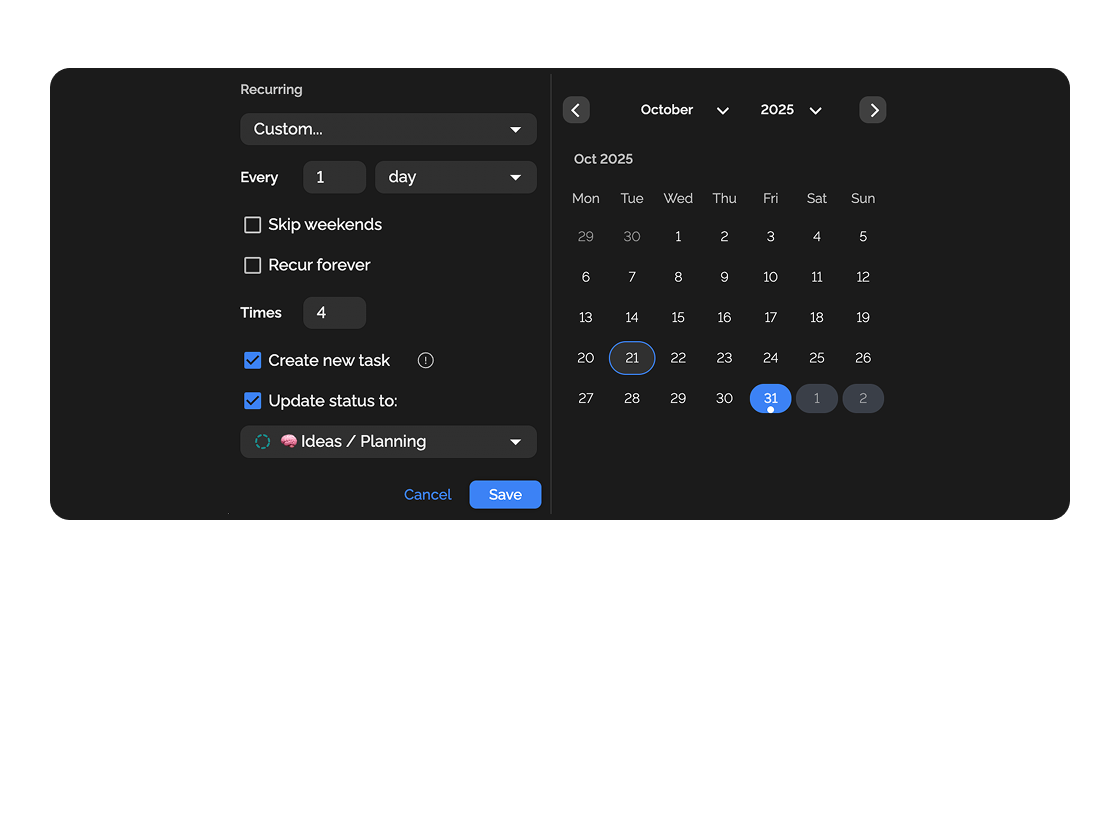
Capability 03
Set when and to which status the task should be sent.
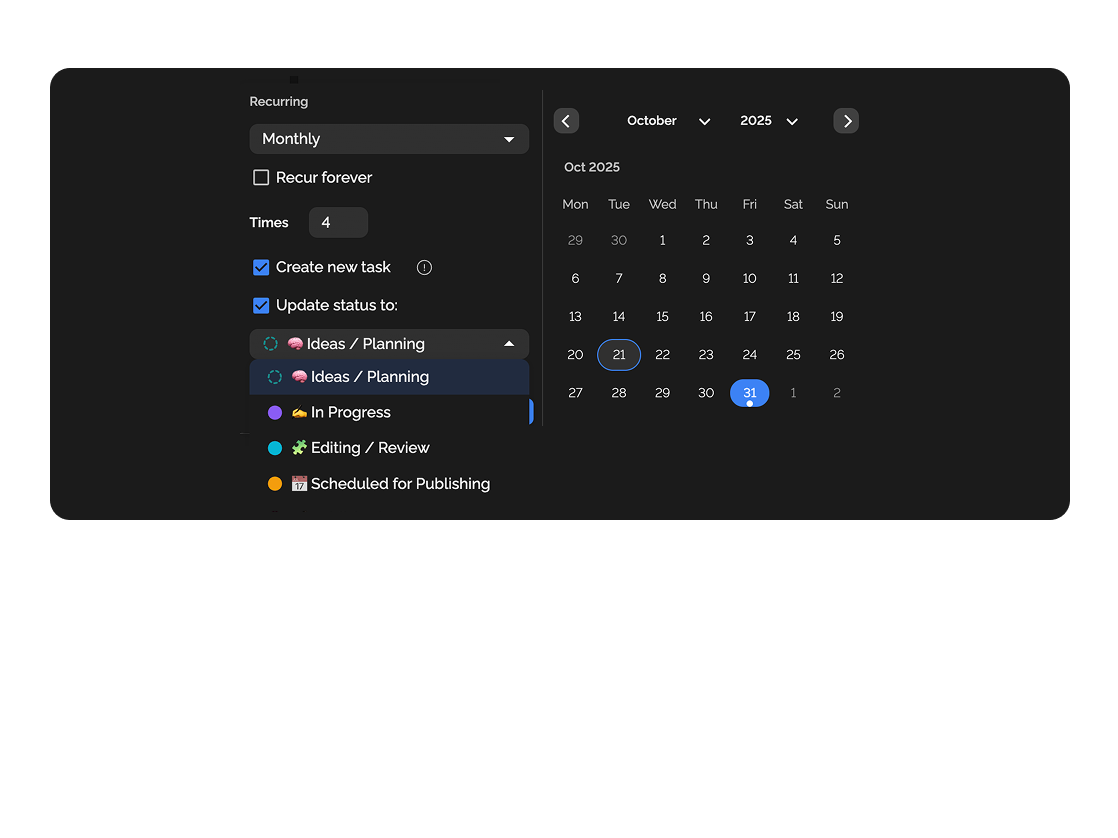
Capability 04
Automatically creates a copy of the task each time it recurs.
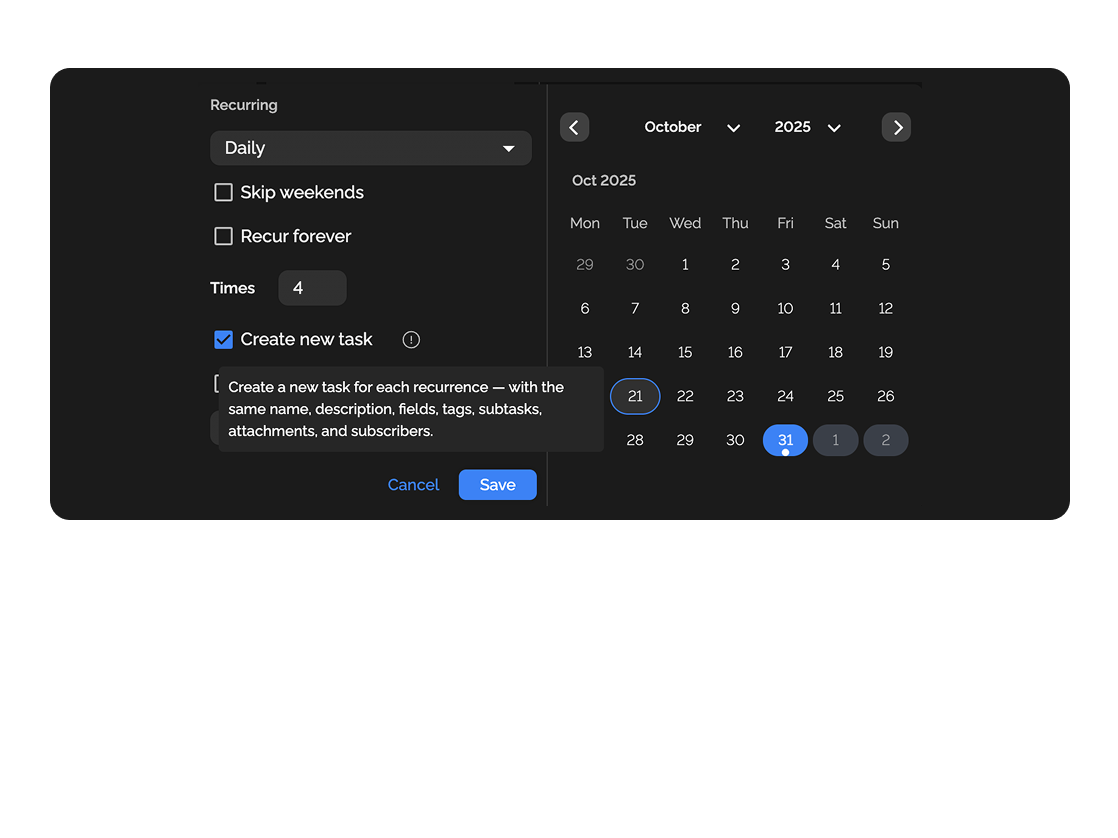
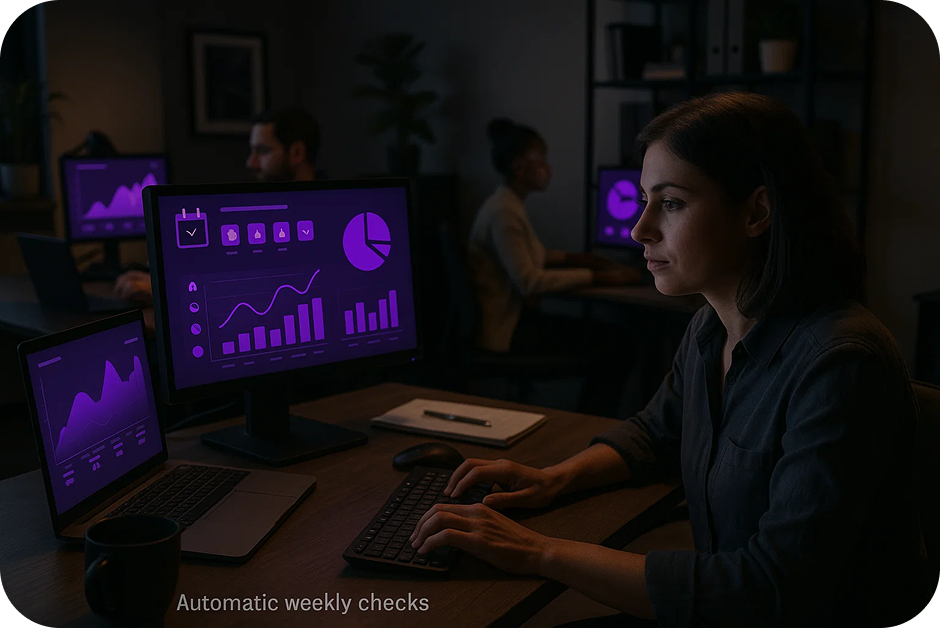
Automatic weekly campaign checks, reminders about client reports.
Regular tasks for code review, testing, or system updates.
Deep dive
5 chapters
Weekly retros, monthly financial close, daily backups, inventory check on the 1st — these are tasks you'll be running for years. Create them by hand and someone forgets within 3 months. Put them in Google Calendar and they lose the context and the tie-in to your task system. <strong>Recurring tasks</strong> in Easylim spawn a full copy of a task on a schedule, with all fields, assignees and checklists. Below: how to configure them so the team doesn't drown in notifications and nothing important slips.
Розділ
A recurring task is a rule that spawns a fresh copy of a task on a schedule: every day at 9am, every Monday, the 15th of each month, the last business day of the month. The copy arrives as a normal task — assignee, deadline, checklist, links to docs — and lands on the board like any other piece of work.
How is this different from a calendar reminder? A calendar tells you "you've got something at 10am". A recurring task tells you "do this specific thing with 6 substeps; here's where the inputs live, here's where the output goes". Calendar alerts disappear; the task sits on the board until someone closes it.
Typical candidates: weekly team retros, monthly financial close (with subtasks "reconcile payouts", "check invoices", "send to CFO"), daily backups and monitoring, quarterly performance reviews, weekly client reports, monthly billing cycles. Each one is 5-15 minutes saved and zero risk of forgetting.
Fri · May 24
closed
Fri · May 31
closed
Fri · Jun 7
today · live
Fri · Jun 14
queued
Fri · Jun 21
queued
Fri · Jun 28
queued
Розділ
The most common mistake is creating a recurring "Retro" with an empty title and no description. A month in, the board has 4 identical "Retro" cards with no context. Nobody knows which retro this is, what the last one covered, whether it already happened. Always set up a recurring task as a full template: title with the date (auto-fill), description with links to past retro minutes, checklist of standard items.
5 setup steps in Easylim: (1) build the template task with all the detail; (2) open "Make recurring"; (3) pick an interval — daily, weekly on a specific day, monthly on a specific date, or a custom cron; (4) assign who each copy goes to; (5) configure how many hours before the start the notification fires.
Example: "Weekly retro" — interval "every Friday at 16:00", assignee "team A", title auto-fills as "Retro week {WW}", description links to the retro template (Start/Stop/Continue), notification 1 hour ahead. Every Friday at 15:00 the team gets a push, opens the card, runs the 30-minute retro, drops conclusions in comments, closes it. The next week is a brand-new card — but with historic links to all the previous ones.
cron · 0 16 * * 5
Розділ
Schedules in Easylim aren't only "daily/weekly". You get: specific weekdays (Mon-Wed-Fri), specific dates of the month (1st and 15th for payouts), last business day (for financial close), every N days (backup every 3rd day), and a custom cron expression for anything weirder.
Assignee rotation is the underrated feature. If "run the standup" should rotate across the team — set up a rotation list. Monday — Elena, Tuesday — Sam, Wednesday — Maria. Without rotation, one lead runs standups 200 days a year and starts hating mornings.
What to do about missed copies — Easylim gives you three strategies. (1) Skip: if the previous copy isn't closed, no new one is created (for tasks that only make sense at a specific time). (2) Queue: a new copy is created even if the old one is still active (for tasks that can be done late). (3) Catch-up: if the system was offline for a few days, all missed copies are created at once (rarely needed; better to investigate why they were missed).
Mistake number one: creating 20+ recurring rules "just in case". The team drowns in tasks, stops reading them, important things get lost alongside the routine. Healthy range — 8-15 active recurrences per team of 5-10 people.
Previous "Weekly retro" still open. New copy will be created Fri Jun 14.
pick once · applies to all future
Розділ
Monday 9:00 — "Weekly standup" auto-spawns. Assignee Elena (on rotation), checklist "read OOO", "check overdue", "collect blockers from #standup-prep". At 10:00 the team meets — everything is already prepped.
Tuesday — auto "Client report — Acme". Assignee the PM. The task already links the dashboard, the email template, and the metrics list. 20 minutes of work instead of 1.5 hours of "where was that latest version?".
Wednesday — "Backlog sanity check". The lead opens "tasks without owner", "without deadline", "in status >14 days". Each one either dies or wakes up. Without this, your backlog is a junk drawer in 3 months.
Thursday — "1:1 with [team member of the week]" on rotation. The manager doesn't have to remember who they've met with — the system tracks it. Friday 16:00 — "Retro" + 18:00 auto "DB backup check" (DevOps). Week closes. Zero pings in Slack.
Mon
Tue
Wed
Thu
Fri
Sat
Sun
Розділ
If you have a meeting at a specific time (15:00 — call with the client) — that's not a recurring task, it's an event in your calendar. Calendar deals with time and availability, syncs with Google/Outlook, sends invites. Recurring tasks are about work, not meetings.
If you have a trigger from an external system (new lead from the form → create a sales task) — that's not a scheduled recurrence, that's workflow automation. Use Zapier, Make, n8n or webhooks. Recurring is for calendar time; integrations are for events in other systems.
If you have a one-time burst of activity (product launch, conference, Black Friday) — don't make it recurring, spin up a project from a template. A project has an end date; recurring is forever.
If your task changes substantially every time (weekly analytics where the questions are different each week) — recurring gives you a title and a date, but the content has to be filled in from scratch anyway. In that case use a task template and apply it manually, or make the recurring task super minimal (a bare "don't forget" reminder).
work · with checklist
Monthly close · payouts
☐ Reconcile invoices
☐ Send to CFO
☐ Archive month
meeting · time-blocked
Standup · 10:00–10:15
syncs to Google · Outlook
work → recurring · meeting → calendar
This feature connects to the apps your team already lives in.
More features
No card required. Free tier forever.


