Capability 01
Time Estimation
Forecast how much time a task will take to better plan resources and avoid missed deadlines.
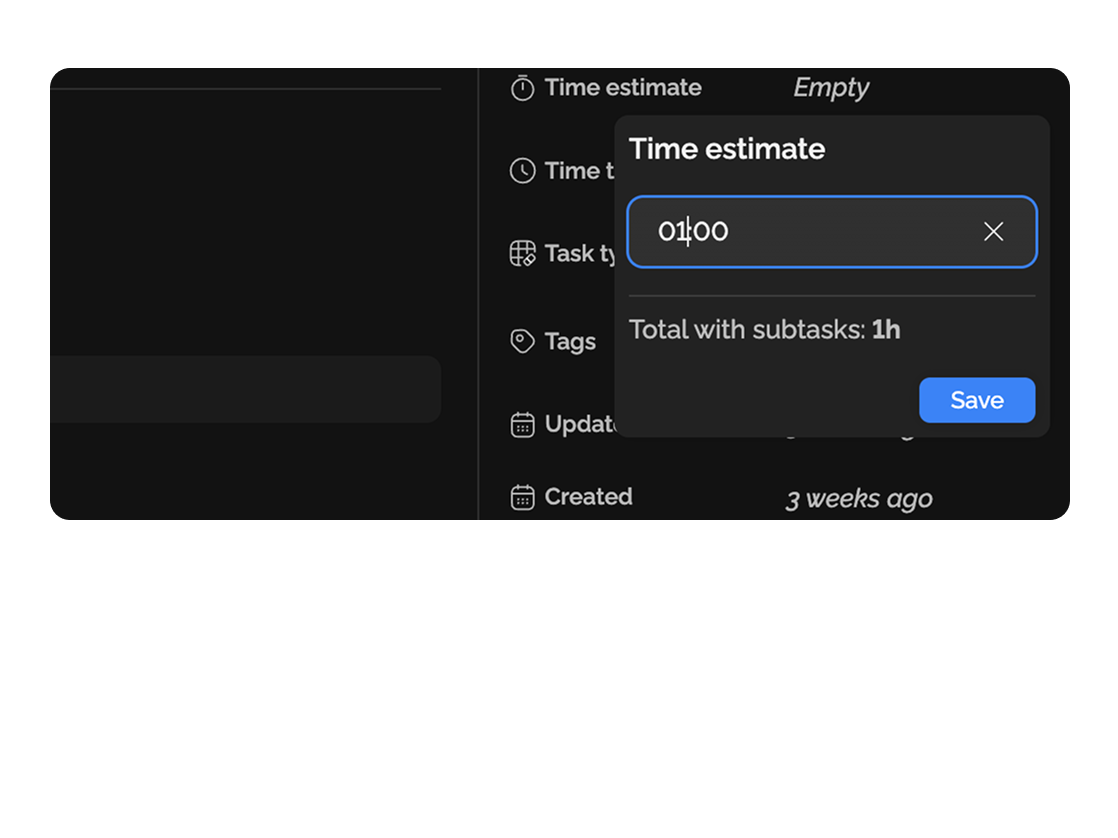
Easily monitor, analyze, and evaluate work hours to boost efficiency and achieve results faster.
Built for
API integration · Stripe Inc.
started 14:22
Checkout design · wireframes
Acme Co.
Frontend payment form
Acme Co.
QA · checkout flow
Stripe Inc.
Client call · review
Acme Co.
By the numbers
100%
billable hours tracked
Easylim time
Auto
one-click task timer
customer data
PDF/CSV
timesheet export
2025 survey
Use time tracking in daily work and get precise data.
Capability 01
Forecast how much time a task will take to better plan resources and avoid missed deadlines.
Capability 02
Record actual time spent on tasks in real time to see how your workday is distributed.
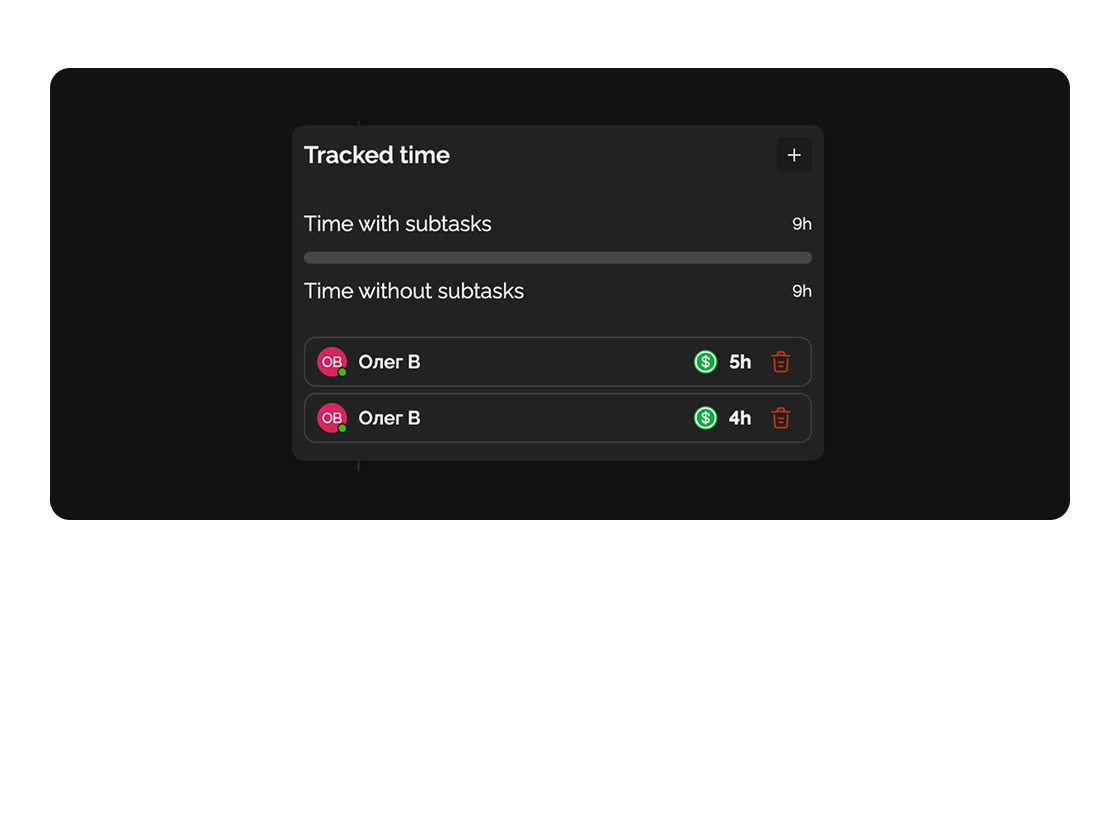
Capability 03
Control your productivity: analyze where your time goes and identify areas for optimization.
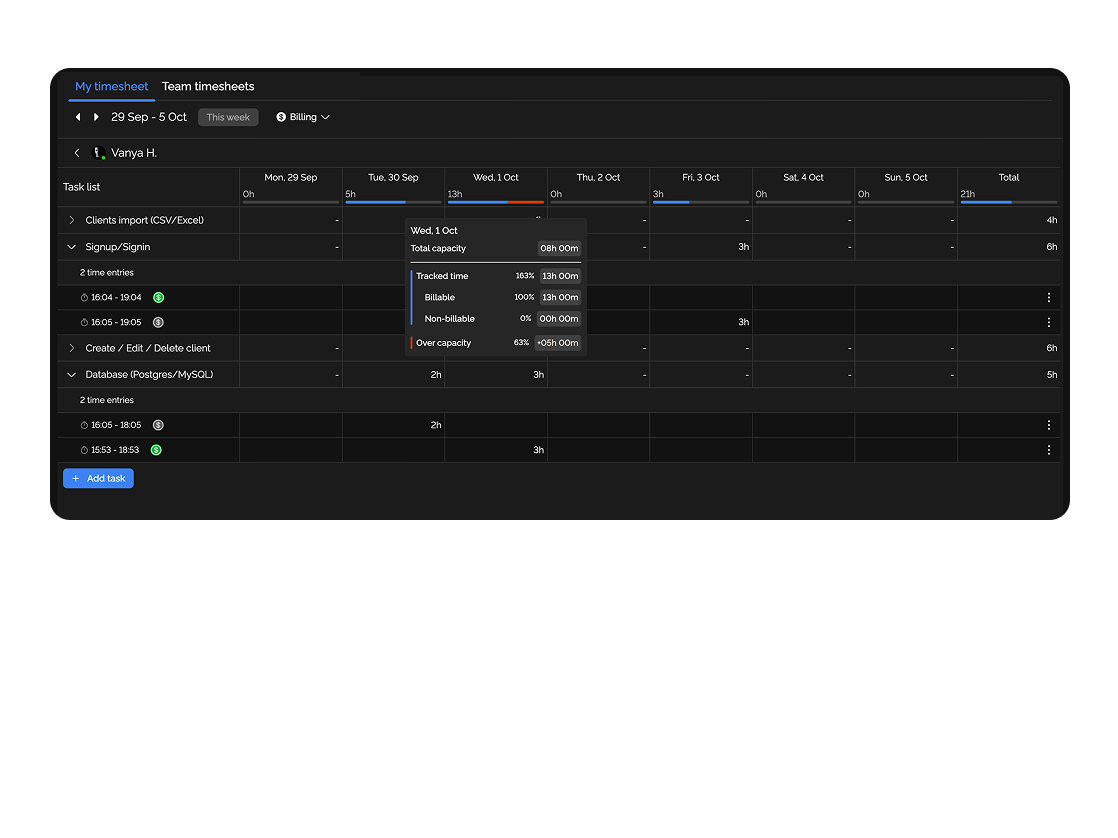
Capability 04
Monitor the working hours of your entire team to see workloads, compare planned vs actual, and increase efficiency.
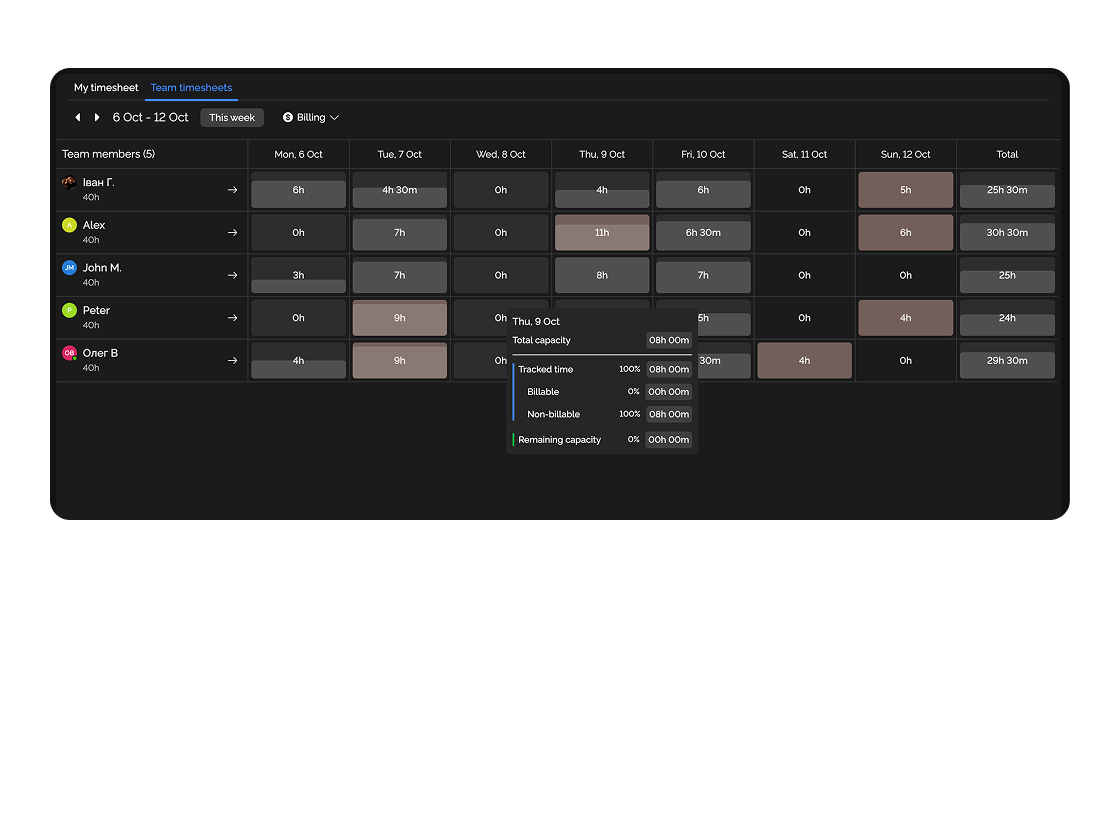
Document technical tasks, specifications, and protocols on a single platform.

Deliver completed projects and presentations to clients without extra files.

Deep dive
5 chapters
If you track time after the fact, every Friday timesheet is a lottery: the freelancer writes "8 hours on the API", the agency logs "12 hours on design", and the reality was 6 and 14. A month later the client asks why the invoice is 30% above the estimate, and you have nothing to show. Below: how to set up time tracking in Easylim that works without Friday memory games — one-click timers, automatic timesheets, honest estimate vs actual. And when time tracking is the wrong measurement entirely and you shouldn't enable it at all.
Розділ
Time tracking in modern SaaS isn't an Excel sheet with "date / task / hours" columns and it isn't punitive over-the-shoulder monitoring. It's a timer button on the task card itself plus automatic billable rollups plus exports in the format your client's accountant accepts.
The classic case: a freelancer hits Play on "API integration · Stripe", works, pauses, eats lunch, comes back, hits Play again. By 6pm the timesheet shows 6:42 on Stripe and 1:18 on Acme — auto-calculated. Nothing to remember, no hours to backfill, no panic about whether you logged that client call.
For agencies and consulting, time tracking is the billing foundation. You have 12 engineers, 8 clients, hourly rates from $40 to $120. Without precise tracking you either under-invoice (lose money) or over-invoice (lose trust). Tracking closes that question for good.
task
API integration · Stripe
today's entries
Розділ
Step 1. In project settings, enable "Time tracking". Every card gets a timer button. Separately enable "Estimates" if you want to compare planned vs actual (estimated 4 hours, took 7 — that's a signal).
Step 2. Configure hourly rates: per client (Stripe = $120/hr, Acme = $80/hr), per person (Senior dev = $100, Junior = $60), or per task (rare but supported). Easylim multiplies tracked hours by the rate and shows live project revenue.
Step 3. Mark which tasks are billable: engineering, design, client review — yes; internal standups, training, code style reviews — no. This is a tag you can apply in bulk. Without that discipline, the timer runs on your daily team standup and the client sees "12 hours of meetings" on their invoice.
Manual entry
type hours after the fact
Timer button
one click on the card
Bulk import
from CSV / Toggl
Розділ
Estimate on a task is your guess up front. Tracked is what actually happened. The gap is the most valuable metric you'll get. If your team consistently lands at 2× the estimate, the team isn't slow — you're systematically underestimating. Easylim surfaces this with an "overrun" filter.
Capacity planning: you know Alex bills 30 hours a week (the other 10 go to meetings, training, context switches). If you plan 45 hours of work for him, it's a failure before it starts. Easylim sums estimates assigned to a person and flags whether capacity is breached.
PDF/CSV export for clients takes two clicks: filter "billable + this month", hit Export. PDF with your logo, task breakdown, hourly rate, totals — ready to email. Integration with popular accounting tools syncs timesheets directly, with no double entry.
Розділ
Monday 09:15. Sit down to work. Open "API integration · Stripe", hit Play. Work 2:14, pause, jump on a 30-minute client call — start a separate timer on "Client call · review" tagged billable. By 6pm the timesheet shows: 4:48 on Stripe, 0:32 on the call, 1:40 on Acme. Nothing to recall.
Tuesday. Notice that "Checkout validation" was estimated at 4 hours and you've already burned 7. Pause, re-estimate to 10 (edge cases turned up), drop a comment. The client sees the re-estimate in real time and knows about the scope shift before the invoice arrives.
Wednesday. The agency PM opens the "overrun > 50%" filter across the project, finds 3 tasks. Two are genuinely harder than expected (known risk), one is a person who logged time that included a lunch break. They edit the entry manually through the inline editor.
Friday 16:00. Export timesheet: filter "billable + this week + project Stripe" → PDF with per-task breakdown, $120/hr rate, $4,320 total. Email to the client. Invoice sent in 4 minutes.
Stripe Inc.
Acme Co.
Notion-import
Internal
Розділ
If you pay for outcomes, not hours, time tracking is unnecessary and often harmful. A salaried product engineering team shouldn't log hours: you're measuring something that doesn't matter, and people start optimizing the tracker instead of the product. What matters is deliverables, not hours — and what you need is Kanban or a dashboard with a "closed per week" metric.
If your team is purely internal (an early-stage startup with no clients — just marketing, product, engineering), time tracking is mostly noise. Sure, Alex worked 38 hours last week — so what? The better metric is whether the release shipped on time. That's Gantt for deadlines and a dashboard for pace.
Don't enable tracking for everyone "just in case". If you have 50 engineers but only 3 bill clients hourly, turn time tracking on for those 3 only. Everyone else stays on Kanban and 1-1s. Easylim lets you enable time tracking per project, not globally.
Time tracking is a tool for freelancers, agencies, law and consulting firms. For salaried product SaaS teams that ship to production — it's overhead and an active distraction.
This feature connects to the apps your team already lives in.
More features
No card required. Free tier forever.


