Capability 01
Choose Data Format
Use text, numbers, dates, lists, or checkboxes for convenience.
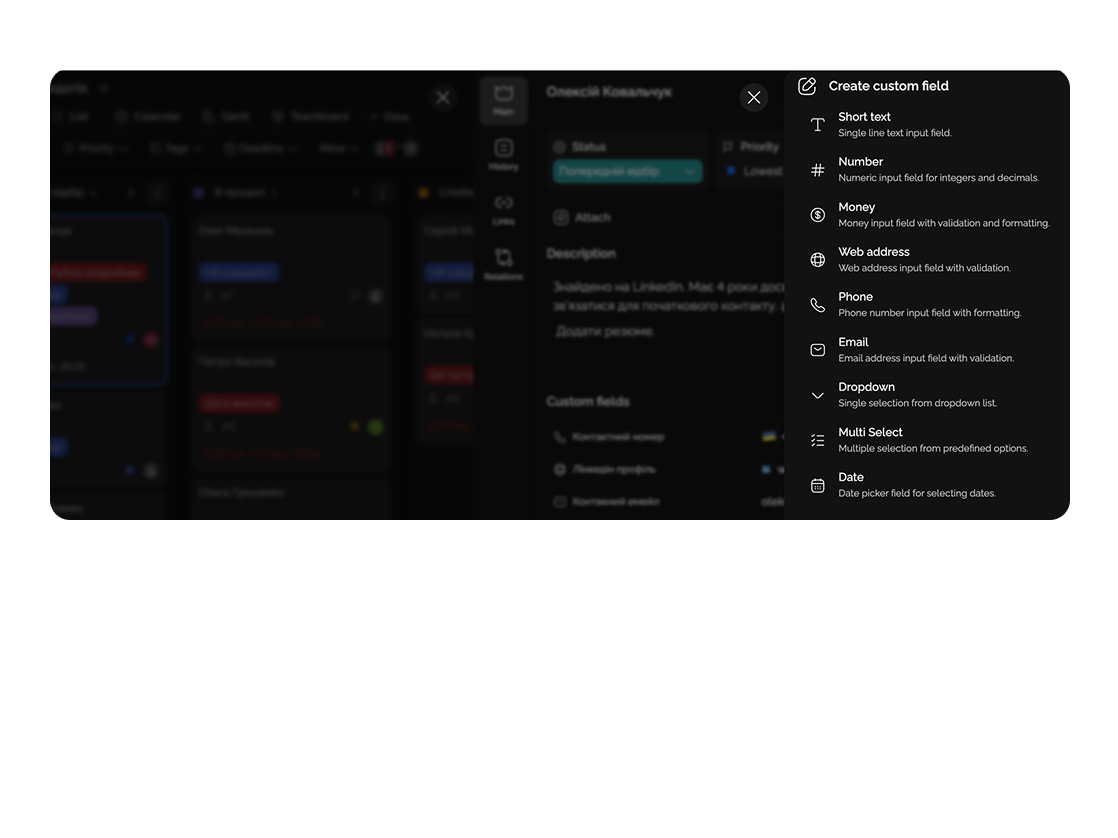
Add your own parameters to tasks and projects to work exactly the way your team needs.
Built for
Spring 2026 collection launch
E-commerce · Acme
By the numbers
12+
field types
Easylim CRM
∞
fields per project
customer data
100%
no-code customization
2025 survey
Custom fields help track exactly the data that matters for your work.
Capability 01
Use text, numbers, dates, lists, or checkboxes for convenience.
Capability 02
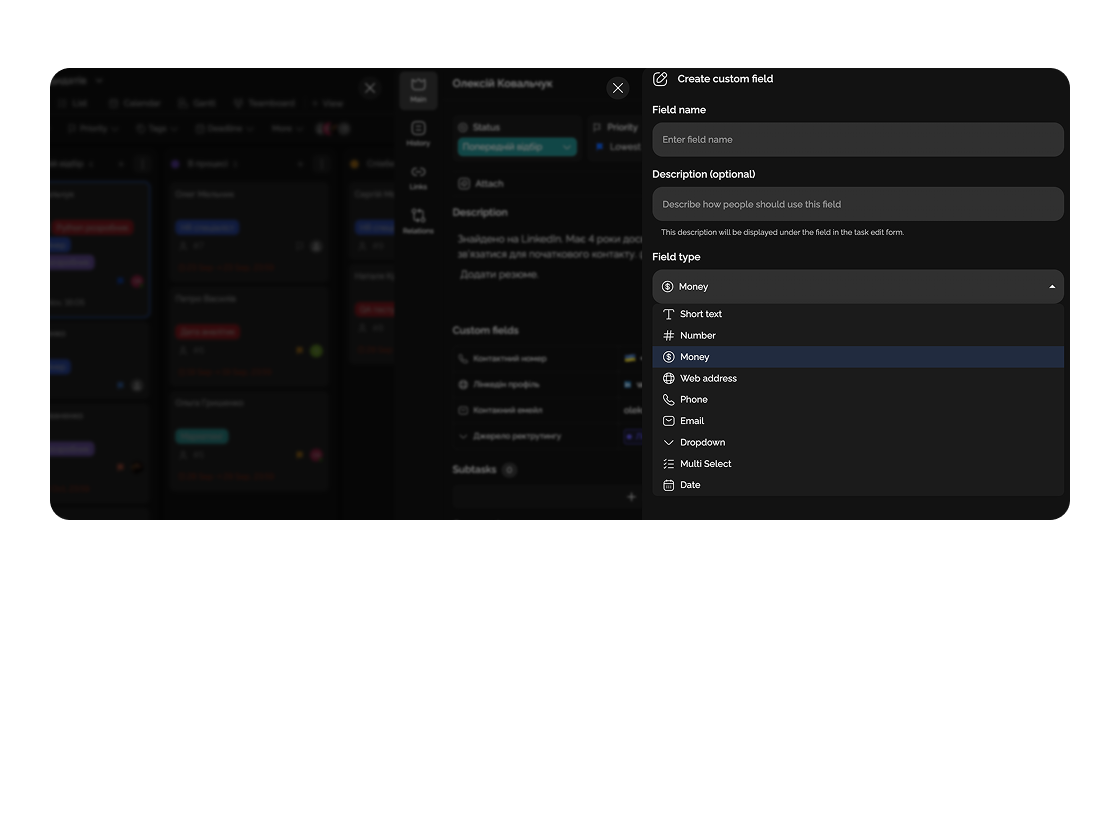
A field for monetary amounts with automatic formatting.
Capability 03
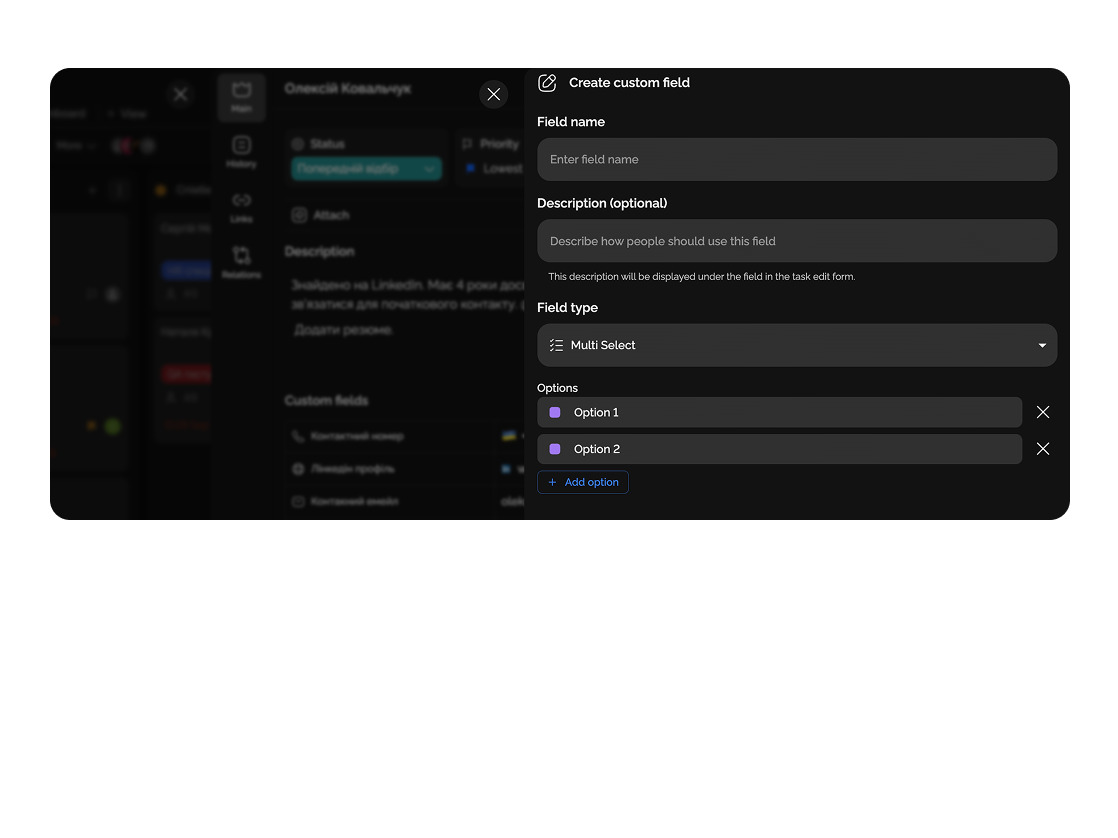
Ability to select several options from a list.
Capability 04
From finance to marketing — adapt the system to your specific field.
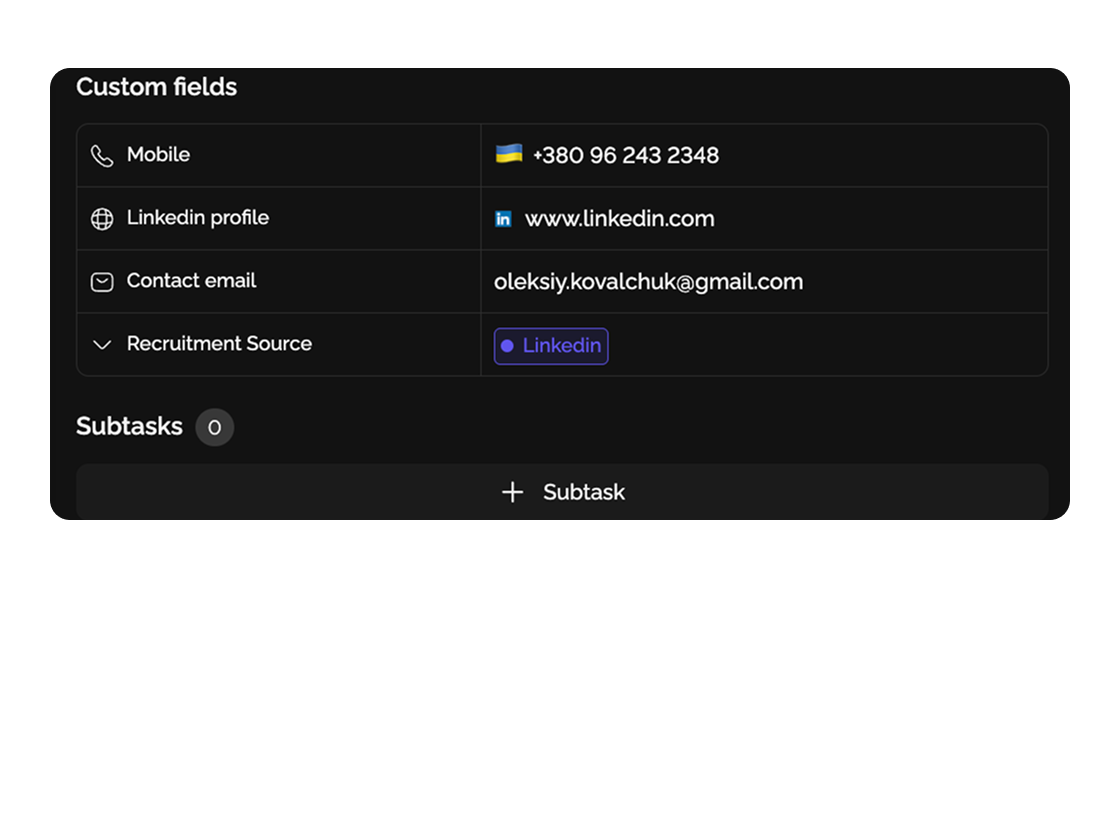
Track product name (text), stock quantity (number), and price (monetary value) for inventory and pricing control.

Displays transaction amount, type of operation (selection), and links to documents or payment confirmations for easy accounting.

Deep dive
5 chapters
Sound familiar: card title "Acme order", description is a wall of text with "price", "delivery date", "SKU", "owner", "payment status" all jammed in. Two weeks later you open it and have to scroll through 4 comments just to find the price. That's the problem <strong>custom fields</strong> solve: you add typed properties to a card (number, money, date, select) and the data lives as structure, not as a wall of prose. Easylim ships 12+ field types — below we cover when to turn them on, how not to build a 100-column Excel sheet, and when you don't need them at all.
Розділ
A default task card has 4–5 base fields: title, description, assignee, deadline, status. That's enough for classic to-do work. But the moment you start tracking orders, customers, equipment or contracts — the base fields aren't enough, and people start stuffing data into the description. That's how a task manager becomes a swamp.
Custom fields are typed properties you add to cards at the project level. Easylim supports 12+ types: text (short and long), number, money (with currency and formatting), date, select (single choice), multi-select (multiple choices), link, phone, rating, checkbox. Each field has a type, which matters: the type validates input (you can't enter "hello" in a money field), enables correct sort and filter (dates chronologically, money by amount), and powers aggregates.
It's the same mechanism behind CRM, database apps (Airtable, Notion DB), and ERP. The difference: in Easylim you don't migrate from familiar tasks to "the database" — fields stack on top of the cards you already have. The same card can hold title, assignee, deadline (default) alongside customer, contract amount, payment status, signing date (custom).
Розділ
The worst mistake is adding 20 fields upfront because "we'll need them all". Two weeks in, half are empty, cards look overloaded, and people stop filling them. Start right: 5 fields max, only the ones without which the task can't be completed.
Sales team: Customer (text), Deal amount (money), Stage (select: Lead/Demo/Proposal/Won/Lost), Close date (date), Channel (select: Inbound/Outbound/Referral). Five fields — that's already a light CRM. Inventory/e-commerce: SKU (text), Stock (number), Price (money), Category (multi-select), Restock ETA (date). Recruiting: Candidate (text), Position (select), Stage (select), Interview date (date), Salary (money).
In Easylim, fields are added at the project level: project settings → "Custom fields" → "Add". Pick a type, give it a name, for selects configure options and colors. The field then appears on every card in the project. Project templates: once you've found a working field set, save it as a template — the next sales project starts with all fields pre-configured.
New custom field
type drives validation, sort, aggregates
Розділ
Once fields have types, real filtering and sorting kicks in. Show only deals over $10,000 — Easylim knows "money" is a number, not text. Sort ETA by nearest first — by date, not alphabetically. Group cards by stage: Leads on top, then Demo, then Proposal — you get a dynamic Kanban-like view built from a field.
Aggregates in the footer row: sum a money column, average a rating column, count unique values in a select. One glance at the sales project tells you: $234k in pipeline, $78k closed this quarter, average deal cycle 23 days.
Visibility and required state: you can scope the "Salary" field to HR only, or make "Signing date" required when stage moves to "Won". That cuts errors and protects sensitive data. CSV export works precisely because fields are typed — clean structure, nothing lost in translation.
sort · filter · aggregate · export CSV
Розділ
Monday 09:30 — the sales team opens the CRM pipeline project. Filter on "my deals · stage Demo/Proposal". 8 cards. Each has customer, amount, next-contact date. The rep schedules their calls for the week straight from the "Next contact date" field.
Tuesday — three demos done. After each, the card opens, "Stage" select moves from Demo to Proposal, "Deal amount" field gets filled (e.g. $24,000). Easylim auto-updates the project footer aggregate: pipeline grew from $180k to $254k.
Wednesday — Proposal stage requires the "Expected close date" field. Easylim won't allow the stage change while the field is empty — protects reports from "deals with no close date". Thursday — the rep filters "no contact 7+ days" (Easylim computes days from "Last contact date" automatically). Five cards need follow-up.
Friday — pipeline report. The lead opens the project, groups by stage, looks at aggregates: $254k in Proposal, $78k Won this quarter, average deal $19k. CSV export for the board meeting — one click.
12
$1,200
15%
Quantity × Unit price × (1 − Discount)
$12,240
12 × $1,200 × 0.85
Розділ
If your work is plain tasks without recurring attributes (write an article, fix a bug, review a PR) — custom fields just aren't needed. Title + assignee + deadline + status is everything. Adding 8 fields, 7 of them always empty, only makes the UX worse.
For free-form notes, ideas, drafts (where structure is a burden and you need long-form text) — fields aren't the right tool. Use notes or documents: no typing, but full formatting, links, embeds.
If you need complex relationships between entities (customer → many orders → many products → suppliers) rather than just typed attributes on one card — that's a job for a real database (Airtable, Notion DB, or your own). Easylim with custom fields is great for CRM-lite, inventory, recruiting, simple deal pipelines; for multi-table relational structures with 5+ relations, pick a dedicated tool.
labels · grouping
× no types
× no sum / avg
× no validation
typed · queryable values
✓ filter > / < / between
✓ sum, avg, count
tag = "what about" · field = "how much, when"
This feature connects to the apps your team already lives in.
More features
No card required. Free tier forever.


