Capability 01
Clip Hub
A dedicated tab in the sidebar where all recordings are stored.
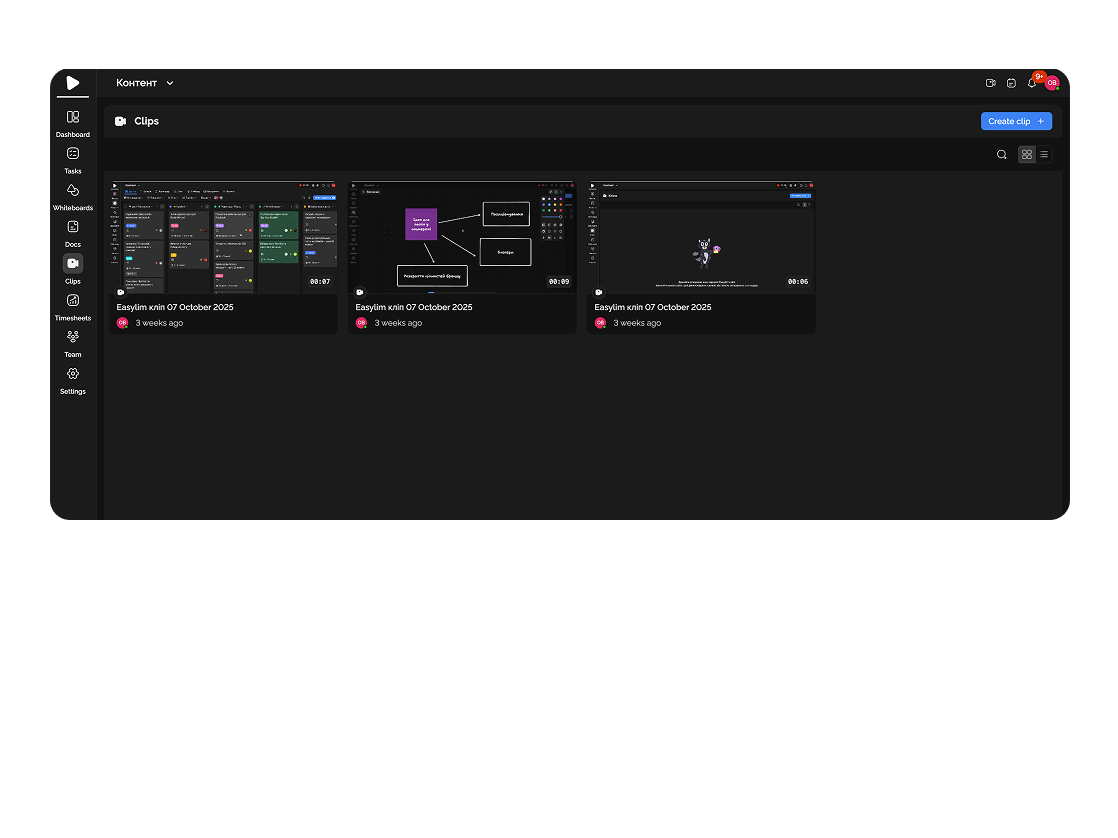
Demonstrate workflows, create training materials, or share results in just a few clicks.
Built for
shared
easylim.com/c/stripe-checkout
By the numbers
−2 hrs
weekly on meetings
customer data
∞
recording length
Easylim CRM
1 click
record → share
2025 survey
Screen recording saves time and makes communication clearer.
Capability 01
A dedicated tab in the sidebar where all recordings are stored.
Capability 02
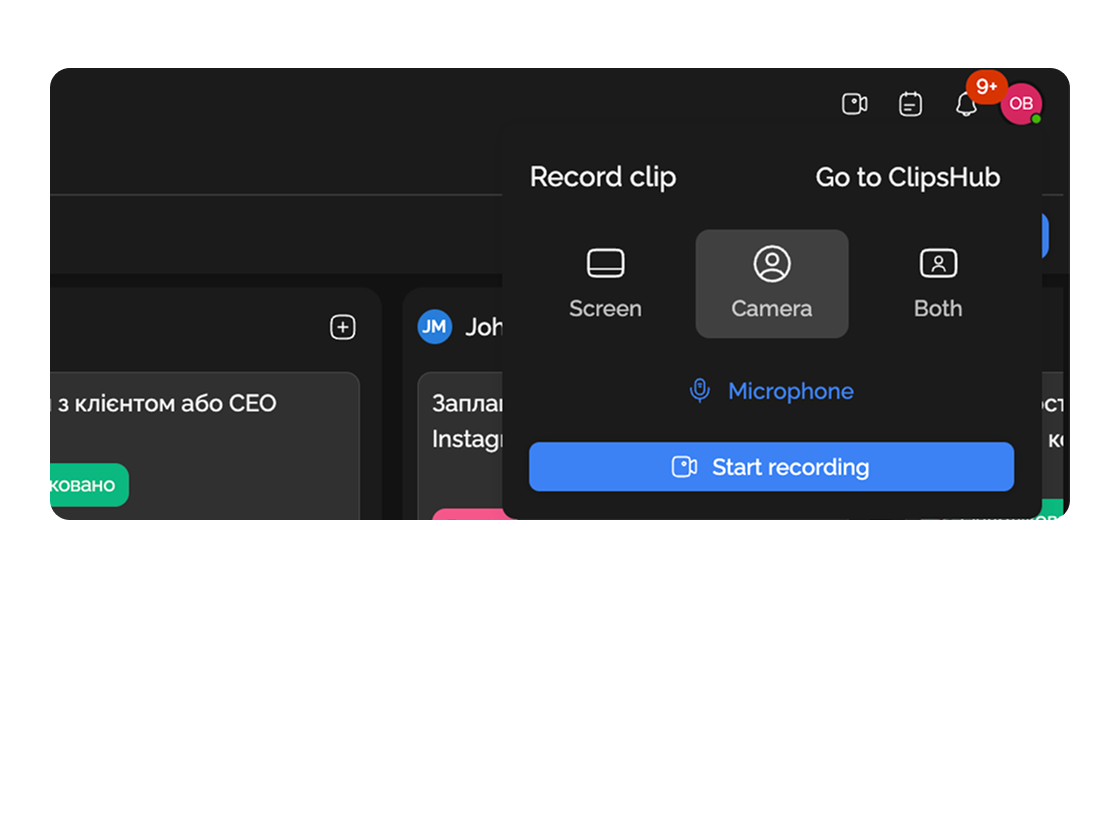
Choose the format that works best for you: screen, camera, or both.
Show intermediate or final results to your team or client.
Present mockups and revisions to clients via video with detailed explanations.
Deep dive
5 chapters
Every distributed team eventually hits the same wall: Zoom meetings eat half the day, and nobody actually works — they just sit on Google Meet watching someone share a screen. Clips (short screen recordings) are that same share, minus the live attendance: record 90 seconds, drop the link, everyone watches when convenient. Below — how to fit clips into the daily workflow, when they replace a meeting cleanly, and when they don't.
Розділ
A clip is a short screen recording with a voice-over, usually 1–3 minutes. You record what you'd otherwise demo live, then drop the link in a task or channel. Your teammate opens it when convenient, watches at 1.5×, and comments inline — no calendar invite required.
Loom popularized the format in 2019, and in five years it's become the default async-comms tool in distributed teams. GitLab, Atlassian, and Buffer have all publicly stated that clips cut their meeting count by 30–40%. The logic is simple: if you need to show rather than discuss, it's a clip.
In Easylim, recording is wired directly into the task: open the card, hit record, and the video auto-attaches to the task. No uploading to Drive, no copying links, no re-explaining context. The context already exists — it's the ticket itself.
Stripe checkout — explainer
clipРозділ
Hit "new clip" — your browser asks for screen, camera, and mic permissions. First tip: turn the camera on, even if you hate seeing yourself on video. A small face bubble in the corner adds presence — viewers process you as a human, not a faceless voice-over.
Spend ten seconds before recording to plan structure: context → problem → solution. Don't open with "hey, this is Ivan, today I want to talk about..." — open with the substance. "Look — on checkout, the Pay button disappears at 768px viewport. Here's what's happening...". Those first 5 seconds decide whether anyone watches to the end.
Easylim supports three modes: screen only (for code or bug screencasts), screen + camera (for reviews and explanations), camera only (for short replies). After you stop, the video uploads automatically, you get a link, and you can add timestamps to the description — clickable markers that jump to specific seconds.
Розділ
Clip Hub is a dedicated tab listing all team recordings. You can filter by author, tag, project, date. This matters because a typical team produces 200–400 clips a year, and without a library they turn into digital garbage scattered across chats.
Auto-transcripts — every recording is automatically transcribed. That gives you three wins: (1) the full text is searchable via Cmd+F, (2) viewers can read faster than they can watch, (3) people who hate video have an alternative. Transcripts are editable, and timestamps stay synced.
Time-anchored comments: a viewer pauses at 01:34, writes "this logic doesn't match the API contract", and the comment pins to that second. The author sees exactly where the question is — no need to re-watch the whole clip. It's Figma comments, but for video.
Розділ
Monday — async standup. Instead of a 30-minute Zoom at 10:00, each person records a 60-second clip: what I did last week, what I'm on today, what's blocking. Five clips, ten total minutes — and nobody is on a call at 7 a.m. for the Bangkok teammate.
Tuesday — bug repro for the backend. Frontend finds an API bug. Instead of "hey, auth isn't working" — they record 90 seconds: open DevTools, replay the action, show the error, read the response. Backend opens the clip an hour later, sees the exact request, fixes it with zero follow-up questions.
Wednesday — mockup review for the client. Designer skips the hour-long meeting and records a 4-minute walkthrough of the new landing page. Client watches, leaves timestamped comments, designer replies in writing. The review cycle shrinks from a week (waiting on calendar alignment) to one day.
Thursday — code-review walkthrough. Tricky architectural change — the author records a clip walking through the files, explaining the trade-offs. Reviewer watches once, asks targeted questions in comments, no need to schedule a "let's pair on this PR" session.
Stripe checkout — explainer
02:14 · just now
Розділ
A clip is one-way comms. If you need a discussion where everyone has to talk — schedule a meeting. Crisis incidents (production is down, client is panicking) → no clips, open Zoom immediately. Brainstorms where ideas spark from group energy — also sync; async won't give you that bounce.
Long-form educational content (over 15 minutes) — clips aren't built for that, use proper course platforms (Vimeo, YouTube unlisted, dedicated LMS). Easylim is tuned for 1–5 minutes: fast render, lightweight share, task-attachment — for trainings you want a dedicated tool.
Sensitive data that shouldn't persist as a file — don't record screens with customer PII, credit cards, API keys. A clip is a permanent artifact; even with an expiry date a viewer may download it. For sensitive demos — live sync with shared screen, no recording.
As alternatives: for async without video — use comments in docs with @mentions. For structured response collection — forms. For client presentations without login — a public link to the dashboard.
✓ watch anytime, 1.5×
✓ no calendar invite
✓ 90 sec sweet spot
× must show up live
× no record by default
show → clip · debate → meet
This feature connects to the apps your team already lives in.
More features
No card required. Free tier forever.


