Capability 01
Notes Lists
All your notes are displayed in a convenient list for easy use.
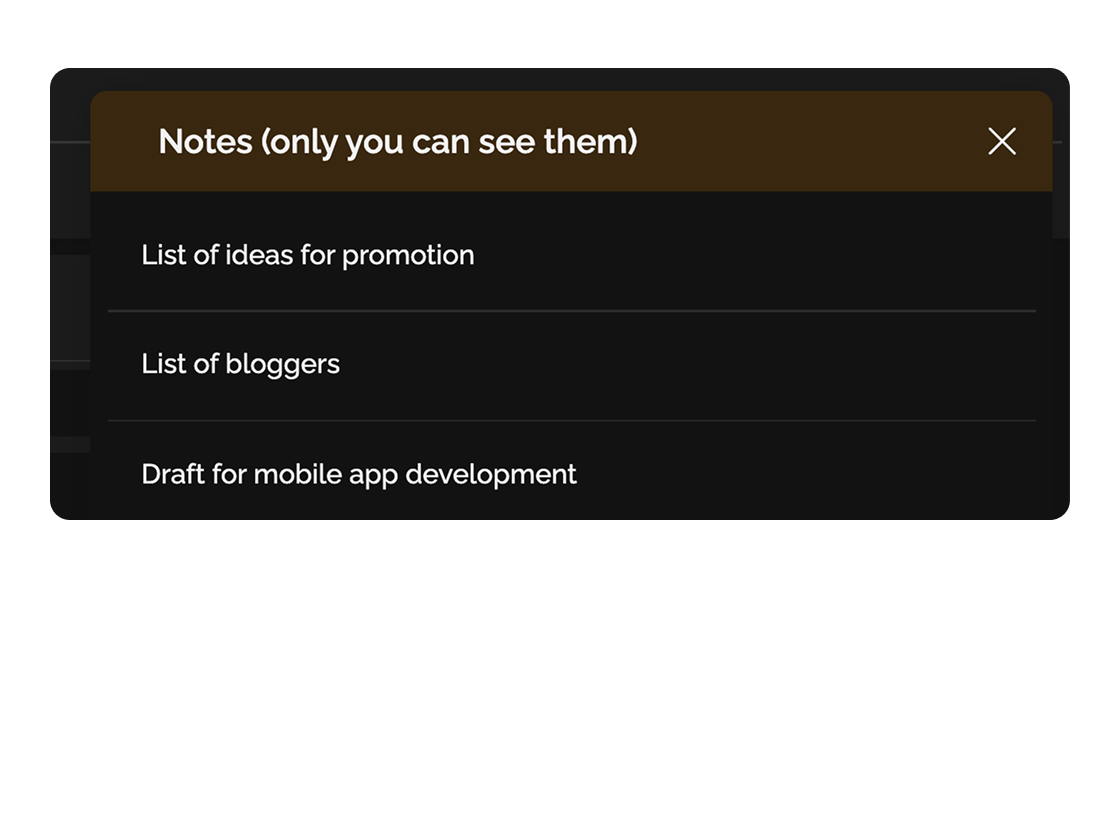
Private notes let you capture important ideas, tasks, or plans just for yourself, without access by others.
Built for
Onboarding flow with progress stories
Before release
stripe.com/docs/payments
«Product is the marketing.» — Brian Chesky
By the numbers
∞
notes in your workspace
Easylim CRM
Search
instant fuzzy search
customer data
Sync
across all devices
2025 survey
Everything you need for personal organization in one place.
Capability 01
All your notes are displayed in a convenient list for easy use.
Capability 02
Use quick commands via the '/' key and add media files directly into your notes.
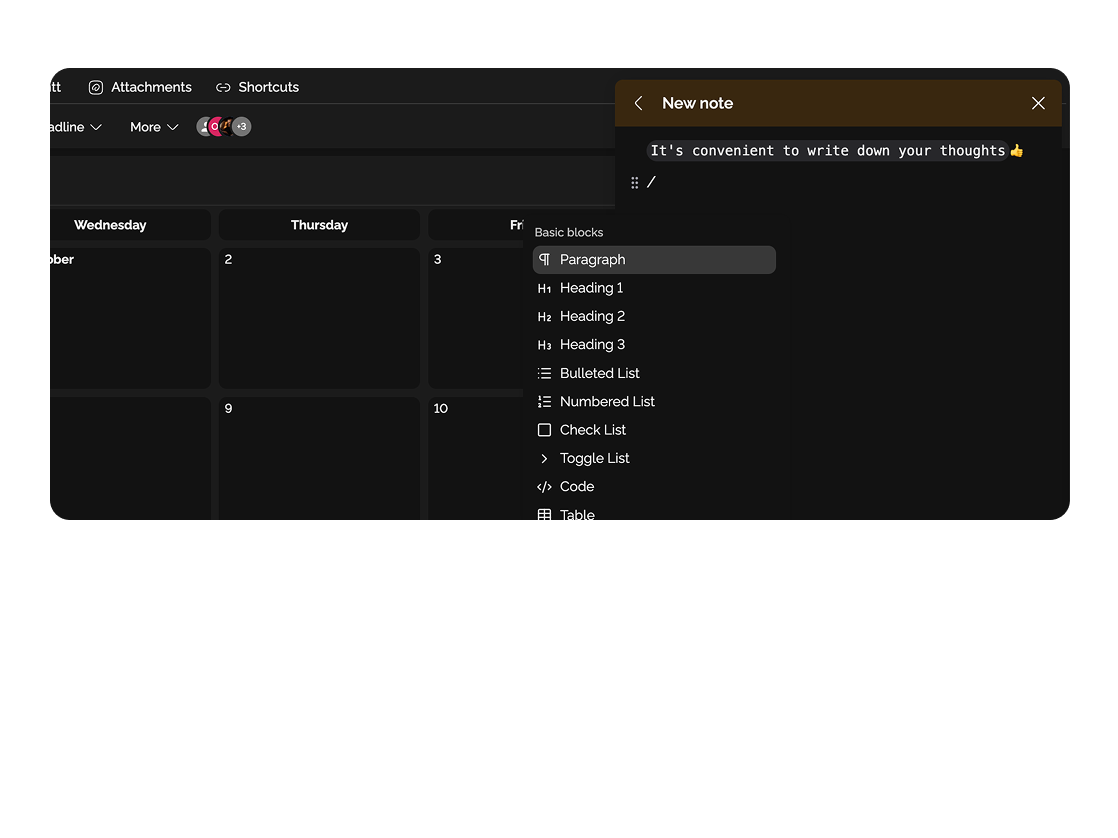
Record thoughts and concepts to preserve valuable insights.

Create to-do lists and reminders for personal productivity.

Deep dive
5 chapters
Most notes on a phone live for one day — written, forgotten. A month later you've got 200 notes with no structure, titled "Untitled", "asdf" and "buy milk", and finding the one where you wrote down that landing-page idea is impossible. Private notes in Easylim are the same fast capture, but with search, tags and integration with your tasks. Here's how to use them so they become a second brain instead of a graveyard of drafts.
Розділ
A note is a fast personal thought, visible only to you. Unlike a document that has a title, sharing, and a lifecycle, a note is created in 2 seconds: Cmd+N, type, forget. Easylim saves it, indexes it, accepts a tag, all on its own.
The key difference from documents and pages: no sharing. Notes are private by default and never become public. If the content was created to be public, it's not a note — it's a document. When a thought matures enough to show the team, you convert it into a task or document in one click.
This is the classic "second brain" idea from GTD: don't keep information in your head. Thought hit you on a walk — write it down. Read a quote — save it. The manager mentioned a number on the call — note it. A week later you come back, search, use it. Your head isn't for storage — your head is for thinking.
Mon · 7:32
Onboarding as a 5-step progress bar?
Like Duolingo streaks — each completed step unlocks the next. Walk dog idea.
Розділ
First and main rule — don't try to structure the inbox upfront. If capturing a thought means picking a folder, thinking about tags, naming the note, you simply won't capture it. Cmd+N, type one sentence, Cmd+Enter — back to whatever you were doing. Structure shows up later, if at all.
Tags instead of folders. Folders force one category, tags allow many. "Landing page idea" can carry #product #idea #marketing and surface through any of them. Easylim autocompletes tags as you type #.
Shortcuts worth memorising: Cmd+N (new note), Cmd+K (search), / (block menu — checklist, quote, code), Cmd+Enter (save and close). That covers 95% of what you'll ever need.
Mobile is 70% of notes. Easylim has an app with native iOS/Android share menu. Select text in Safari → "Share → Easylim" → note created with a link to the article. Voice capture too — tap the mic, talk, AI transcribes and saves.
press N anywhere to capture
Розділ
Fuzzy search works even with typos: type "chekot" — finds "checkout". Type "stryp" — finds "Stripe". Easylim indexes title, body, tags, and even metadata (created date, context). Cmd+K and 100ms later you have the result.
Checklists inside a note — for short daily lists. Not to be confused with Kanban: Kanban is project work, a note checklist is your personal to-do for today. "Buy mom's gift, book the restaurant, check Alex's PR".
Conversion to a task or document in one click. A matured idea — Cmd+Shift+T turns it into a Kanban task with the same text and tags. Grew into a concept — Cmd+Shift+D, becomes a document you can invite the team to.
Note templates — Easylim ships a few: 1-on-1 prep, daily journal, weekly review, project ideas. One shortcut and you have structure instead of a blank page.
Stripe SDK migration
#productNew stripe.js v2 — polyfill for Safari…
Stripe docs link
#readstripe.com/docs/payments/checkout…
Stripe alternatives
#researchCompare stripe vs adyen for EU…
3 results · 142ms · fuzzy
Розділ
Monday, 7:30. Morning walk with the dog. Idea pops in: "maybe onboarding as a 5-step progress bar". iPhone, dictation, note saved with #product #idea. Forgot about it by the time you got to the office.
Tuesday. On the subway, reading an article about activation. You like a quote — Safari Share → Easylim, note saved with the link and #read.
Wednesday. 1-on-1 with the manager. Before the call, open the "1-on-1 prep" template, sketch 4 topics in 5 minutes. During the call, add action items. After — Cmd+Shift+T and two of them become tasks.
Thursday. The Monday idea has matured — open the "onboarding progress bar" note, add details, convert to a document "PRD: onboarding redesign", share with the designer. Friday — weekly review: open the "#idea this week" filter, look through 18 notes, convert 3 to tasks, archive 8, leave the rest.
Activation hook
#product
Buy mom gift
#todo
“Product is marketing”
#quote
stripe.com/docs
#read
Retro topics
#1-on-1
Landing copy ideas
#marketing
Розділ
If the content needs to be seen by the team, it's not a note. Notes in Easylim are deliberately private and can't be shared. A working brief a designer needs to see is a document. An SOP for the whole company is a page.
Structured tasks with deadlines aren't notes. If a note holds a 30-item checklist with owners and dates, it's a project. Move it to Kanban, otherwise two weeks later you won't remember what was done.
Content meant to live for years — also not notes. A personal knowledge base (how I learn, my favourite product books, my decision-making principles) works better as a private page with hierarchy. Notes are for fast capture, not long storage.
Rule of thumb: if a thought grew into a project or wants an audience — move it. Notes are the inbox. An inbox can't be permanent storage.
Private inbox: ideas, quotes, todos — for you only.
Shared workspace: briefs, PRDs, contracts.
matured idea → convert to doc
This feature connects to the apps your team already lives in.
More features
No card required. Free tier forever.


